← Back to Apps
Live Web

Irshad AI ERP

A complete ERP you can talk to. Ask your AI assistant "who owes us the most?", "sales by customer this quarter" or "what should we reorder?" and it answers from your own books; tell it "we received 100 rupees from this customer" and it prepares the voucher for you to approve. Built on ERPNext for traders, distributors and manufacturers anywhere in the world: finance with cheque management and withholding tax, sales from quotation to invoice, a POS counter, purchase with gate passes, multi-store stock, production, payroll, CRM and complaints, in any currency and with the sales tax, VAT or GST of your country. Open the live demo, no sign-up.

Irshad AI ERP is ERPNext v16 with Frappe HR, CRM, Helpdesk, Lending, Education, Healthcare and Webshop, reworked screen by screen for how trading and manufacturing businesses keep their books, with an AI connector built in. Connect Claude (or another AI assistant that supports the open MCP standard) once with your own ERP sign-in, and ask about sales, customers, receivables, stock, cash and profit in plain language; it can also run any ERP report and prepare drafts (quotations, orders, vouchers, leads) that a person checks and submits. It sees only what your ERP role allows, and every request is logged. Every module opens from one launcher in its own colour, with a home page of shortcuts; entry forms open full screen with the vouchers, invoices and orders an accountant expects, and print as Sales Bills, cash and bank vouchers, delivery challans, GRNs, gate passes, a sales tax invoice and an 80 mm POS receipt. Every ERPNext and HR screen and all 211 of its standard reports sit in the menus, so nothing ERPNext can do is hidden. Country rules are settings: currency, financial year, sales tax, VAT or GST, withholding tax and salary tax, with screens for the UAE, South Africa, India and the US, and Pakistan's FBR sales and salary tax ready to switch on. The demo runs on sample data and opens with its sign-in already filled in.

Open the live demo
AI connector: ask your ERP in plain language from Claude or any assistant that supports the open MCP standard. Sales by customer or product, who owes you, cash and bank, profit and loss, what to reorder, slow-moving stock, any ERP report.
AI that prepares, people approve: tell the assistant "make a quotation for Clifton Home Store" or "we received 100 rupees from this customer" and it creates a draft with a link; nothing is posted until someone submits it.
Safe by design: the AI works as the signed-in user with that user's permissions, never sees passwords or keys, can be switched off for everyone in one click, and every request is logged.
Finance: vouchers, receipts and payments, cheque books and lockers, received-cheque tracking, date locks, voucher narrations and withholding tax with a certificate register.
Sales: quotation, customer order, delivery challan and invoice, with trade price, commission and expenses carried through; installment selling; a POS counter that prints an 80 mm receipt.
Purchase and stock: store demand, purchase order, GRN, import costs, inward and outward gate passes, stock transfers between stores, serial numbers, reorder levels and stock audits.
Production, HR and payroll: BOMs and production orders; employees, attendance, leave, loans and salaries with salary tax slabs per country (Pakistan's FBR slabs and EOBI included).
Schools, clinics, lenders and online shops: admissions, attendance and fee bills for a whole class; patients, appointments and lab tests; loans with payouts and instalments; a web shop that sells from your own stock. All of them post to the same accounts.
CRM, complaints and distribution: accounts, opportunities by stage, activities, letters, complaint registration against serial numbers, sales targets.
Prints for daily work: Sales Bill with previous and total balance, cash and bank vouchers, journal voucher, delivery challan, GRN, purchase order, gate pass, a sales tax invoice and an 80 mm POS receipt.
Every ERPNext and Frappe HR screen and all 211 standard reports are in the menus, plus an Administration menu for users, permissions, data import and backups.
Any country: multi-currency, sales tax, VAT or GST templates, withholding tax categories, UAE and South African VAT, India's TDS, the US 1099 report, and Pakistan's FBR sales and salary tax.

Open the live demo Open the live demo
erp ai mcp accounting inventory pos payroll crm
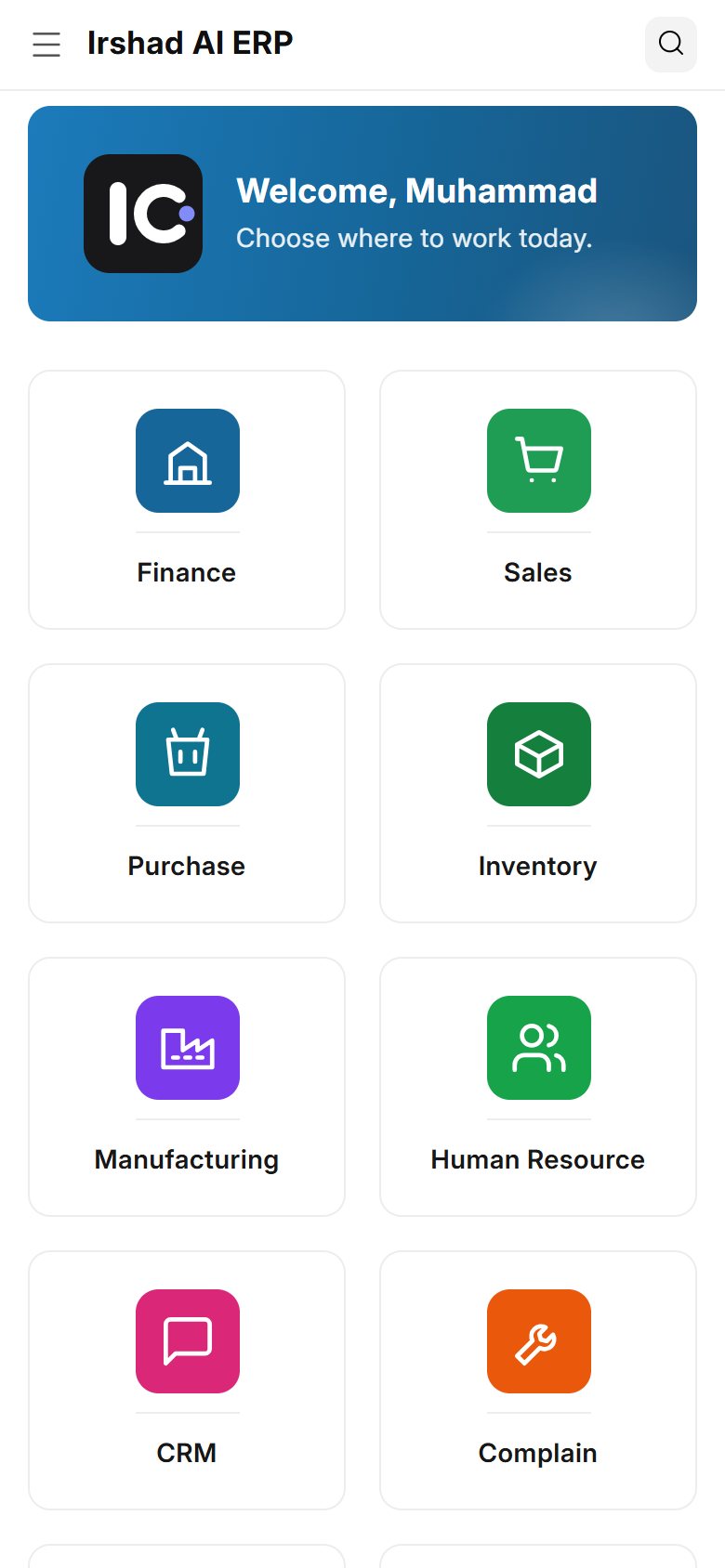
Phone screen of the Irshad AI ERP launcher with a welcome banner and tiles for Finance, Sales, Purchase, Inventory, Manufacturing, Human Resource, CRM and Complain.

Irshad AI ERP is a complete ERP for traders, distributors and manufacturers in any country, built on ERPNext v16 and Frappe HR and reshaped for the way trading businesses work: vouchers, cheques, challans, gate passes, Sales Bills and a POS counter. Currency, financial year and tax rules are settings, set for your country.

Ask your ERP. The AI connector lets an assistant such as Claude answer from your books: “who owes us the most and how late are they?”, “sales by customer since July”, “what should we reorder for the Karachi godown?”. Tell it about money received or a new order and it prepares the voucher or order as a draft for someone to check and submit. It is built on MCP, the open standard for connecting AI assistants to business software, and signs in with each user’s own ERP account.

Pages and phone-sized PDFs for your kind of business: traders and distributors, manufacturers, shops and showrooms and HR and payroll, or the whole system.

The live demo runs on sample data for an appliance and electronics distributor. It opens with the sign-in filled in: press Continue and look around.

To run it for your business, we set it up on your own server or ours, bring in your chart of accounts, customers, products and opening balances, and adjust the screens and prints to your forms.

Screen Flow

Phone screens in order: the launcher, each module's home, entry screens and dashboards, the modules for schools, clinics, lending and the web shop, then asking the ERP through the AI connector.

Phone screens, 7 Nov 2026

Phone screen of the Irshad AI ERP launcher with a welcome banner and tiles for Finance, Sales, Purchase, Inventory, Manufacturing, Human Resource, CRM and Complain.
One launcher for every module, each in its own colour.
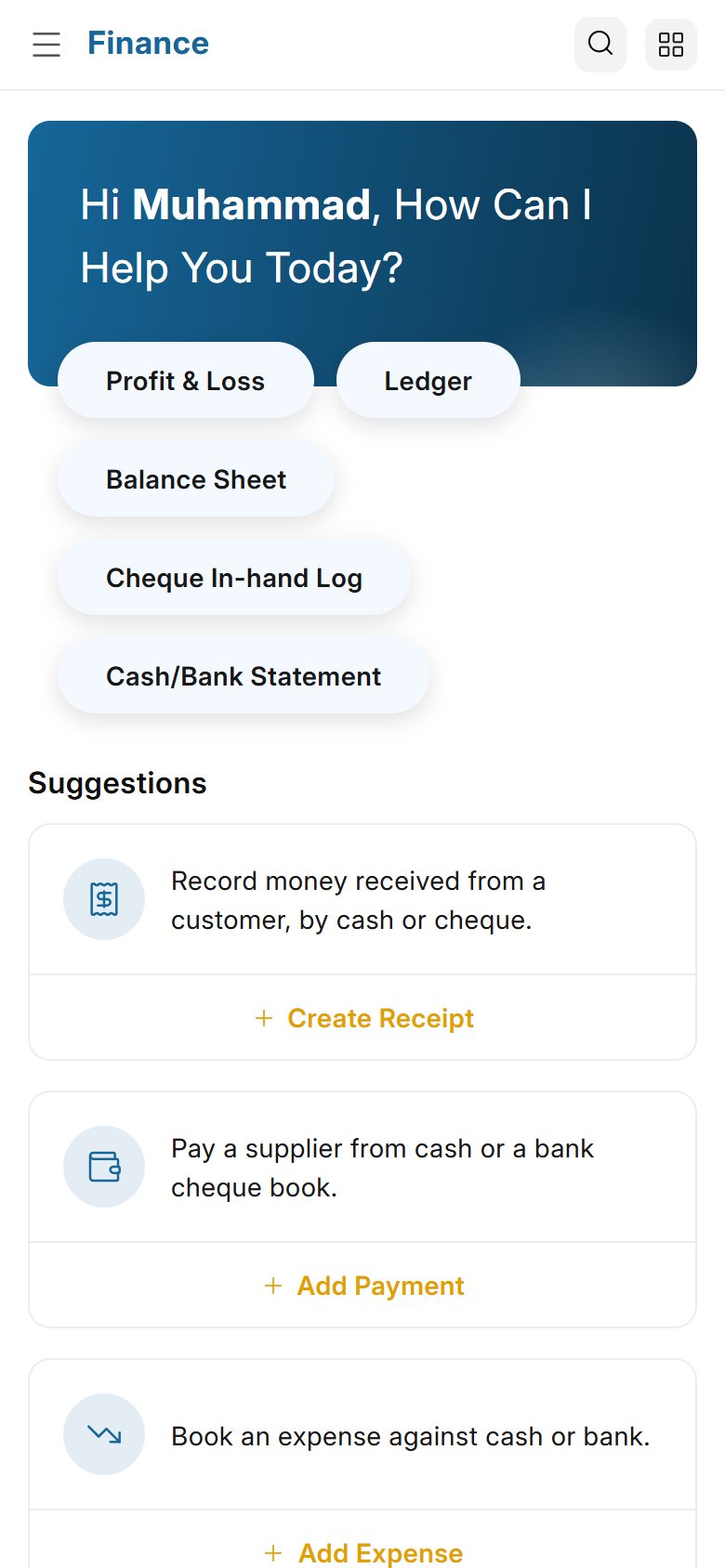
Phone screen of the Finance home with shortcuts to Profit and Loss, Ledger, Balance Sheet, Cheque In-hand Log and Cash/Bank Statement.
Each module opens on a home page of shortcuts and suggestions.
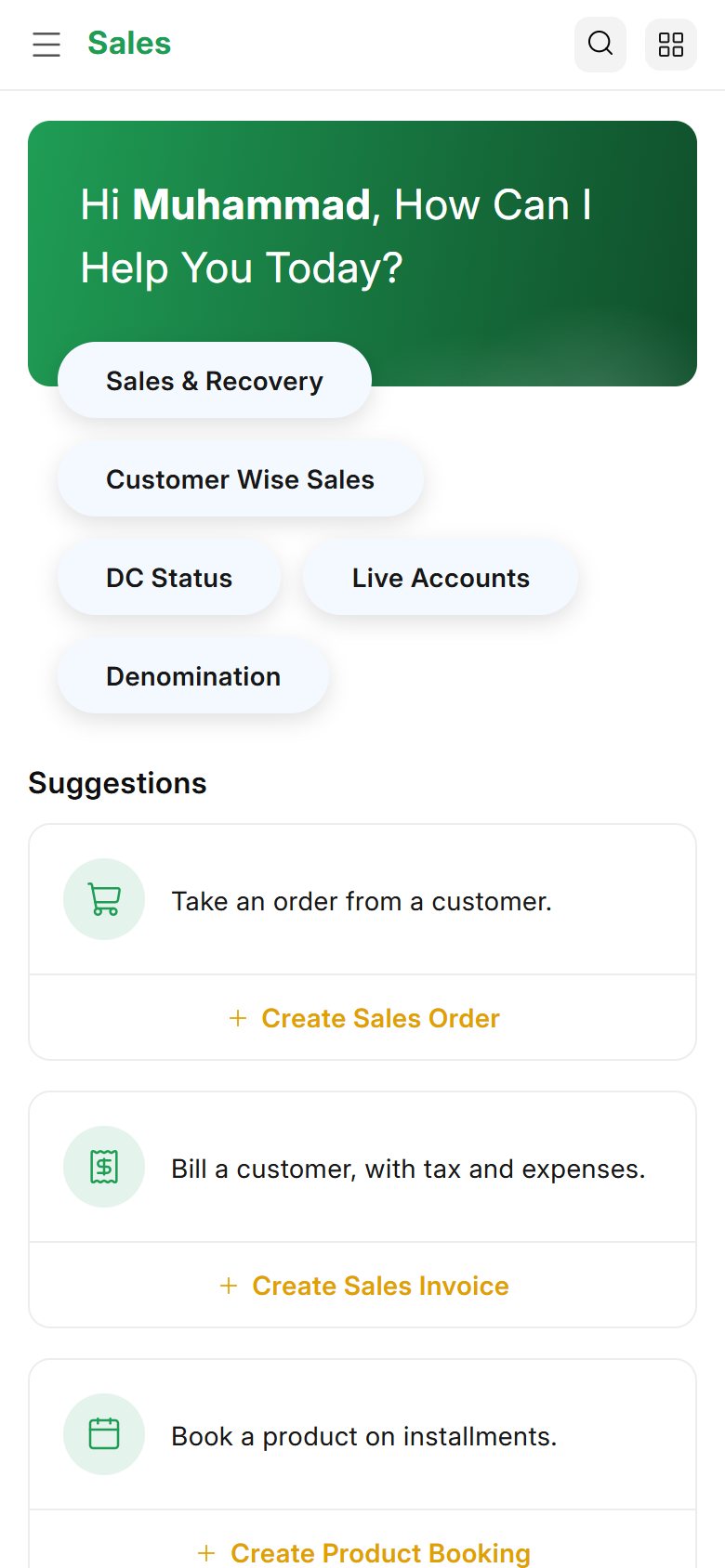
Phone screen of the Sales home with shortcuts to Sales and Recovery, Customer Wise Sales, DC Status and Live Accounts, and suggestions to take an order, bill a customer or book an installment sale.
Sales: orders, bills, recovery and live customer accounts.
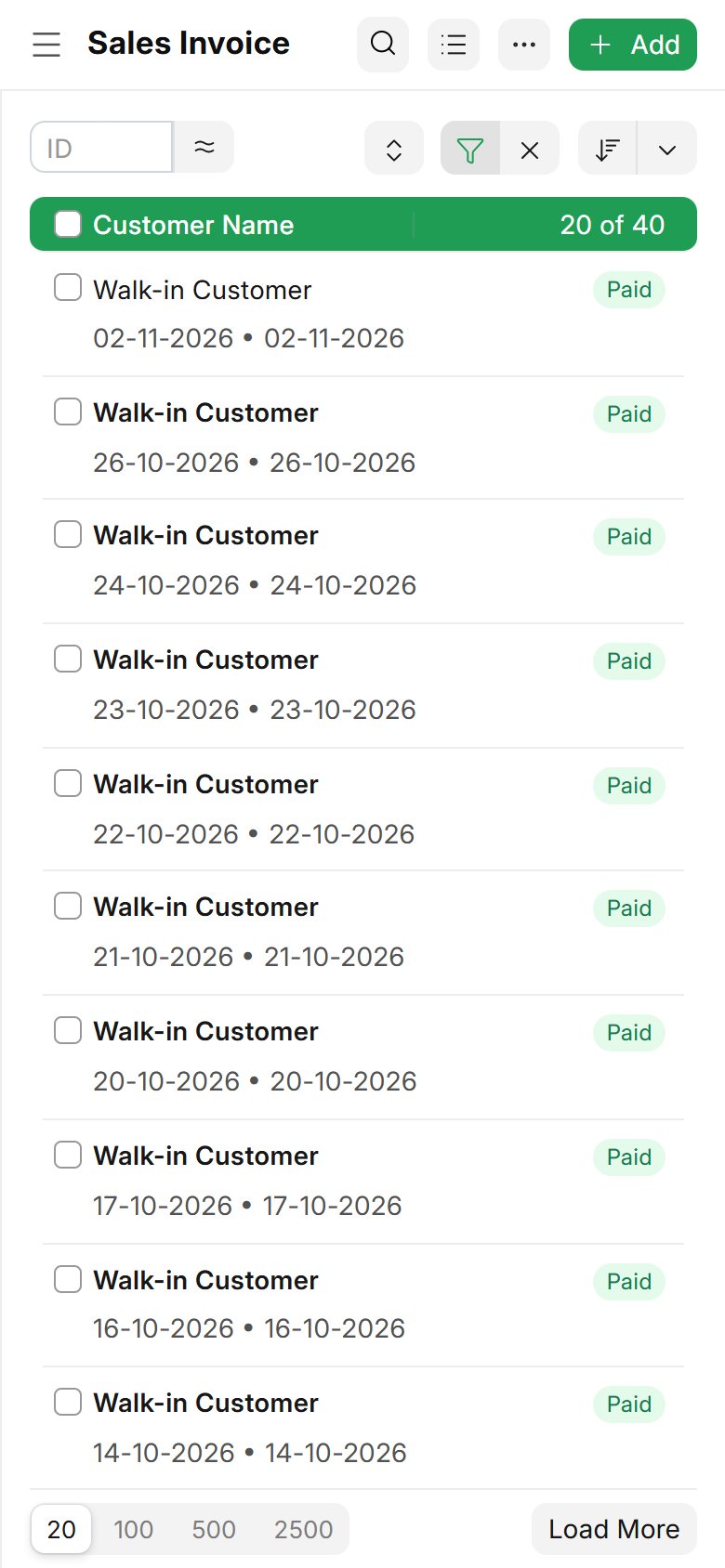
Phone screen of the Sales Invoice list with customers, dates and paid or overdue labels.
Every bill in one list, marked paid or overdue.
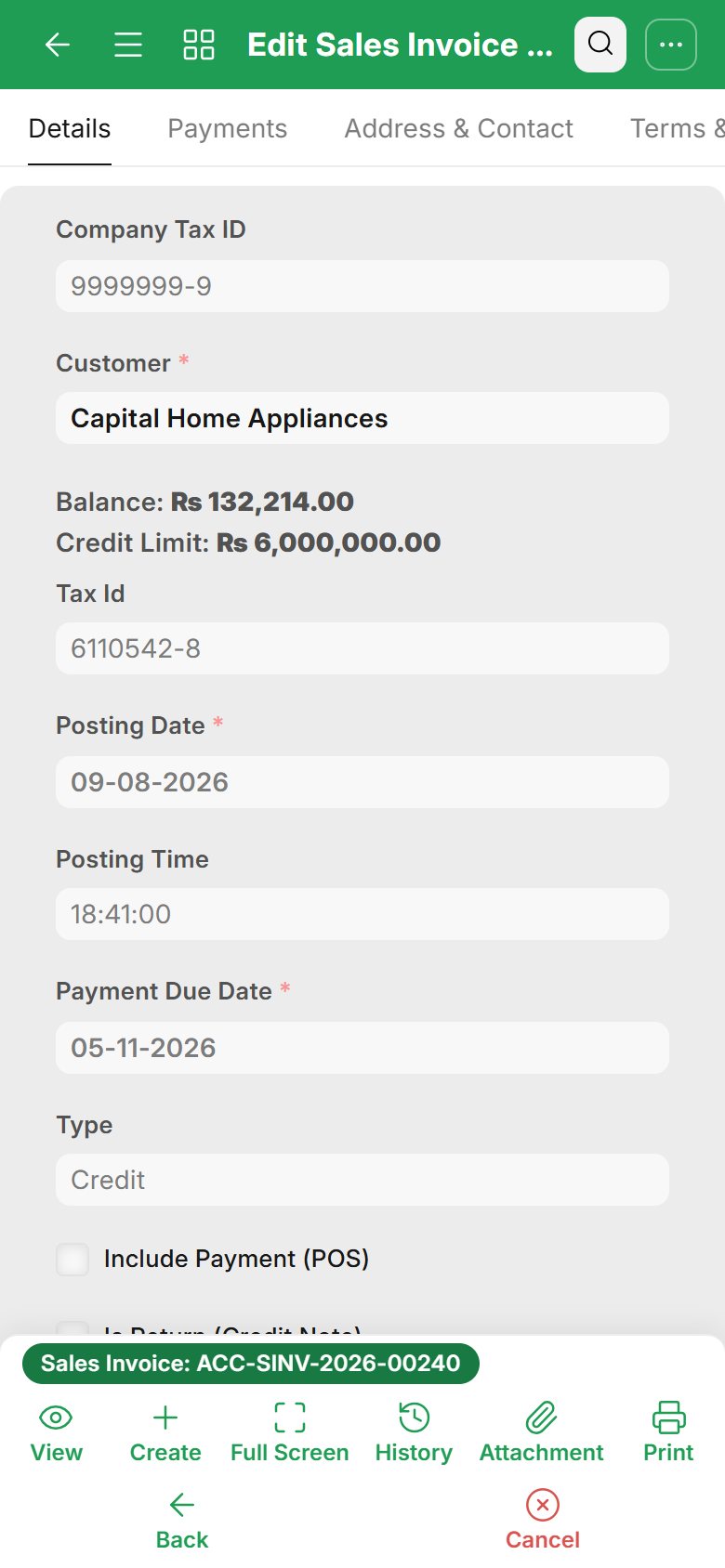
Phone screen of a sales invoice showing the customer, the customer's balance and credit limit, tax ID, posting date and payment due date.
The customer's balance and credit limit sit beside the name.
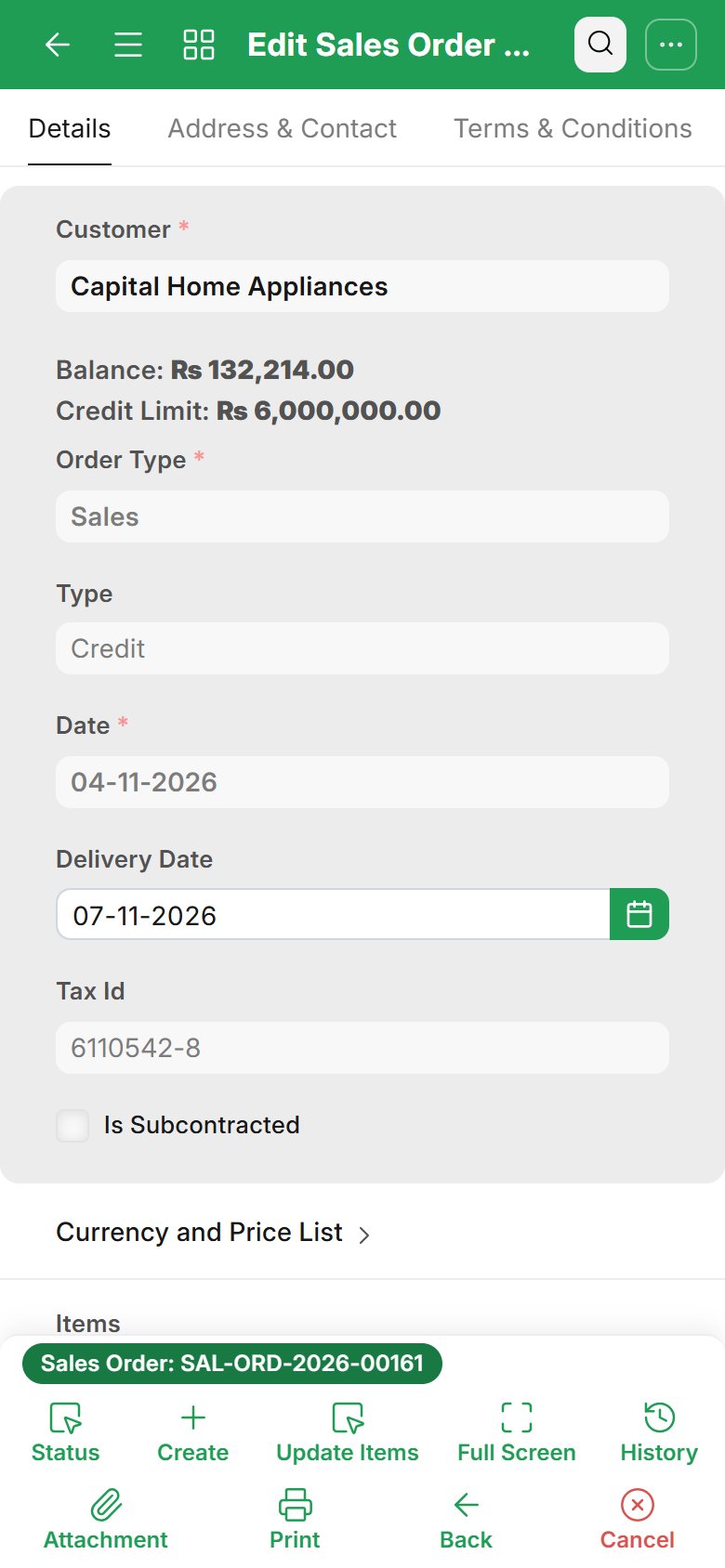
Phone screen of a sales order showing the customer, balance and credit limit, order type, delivery date and tax ID.
Sales orders with order type and delivery date.
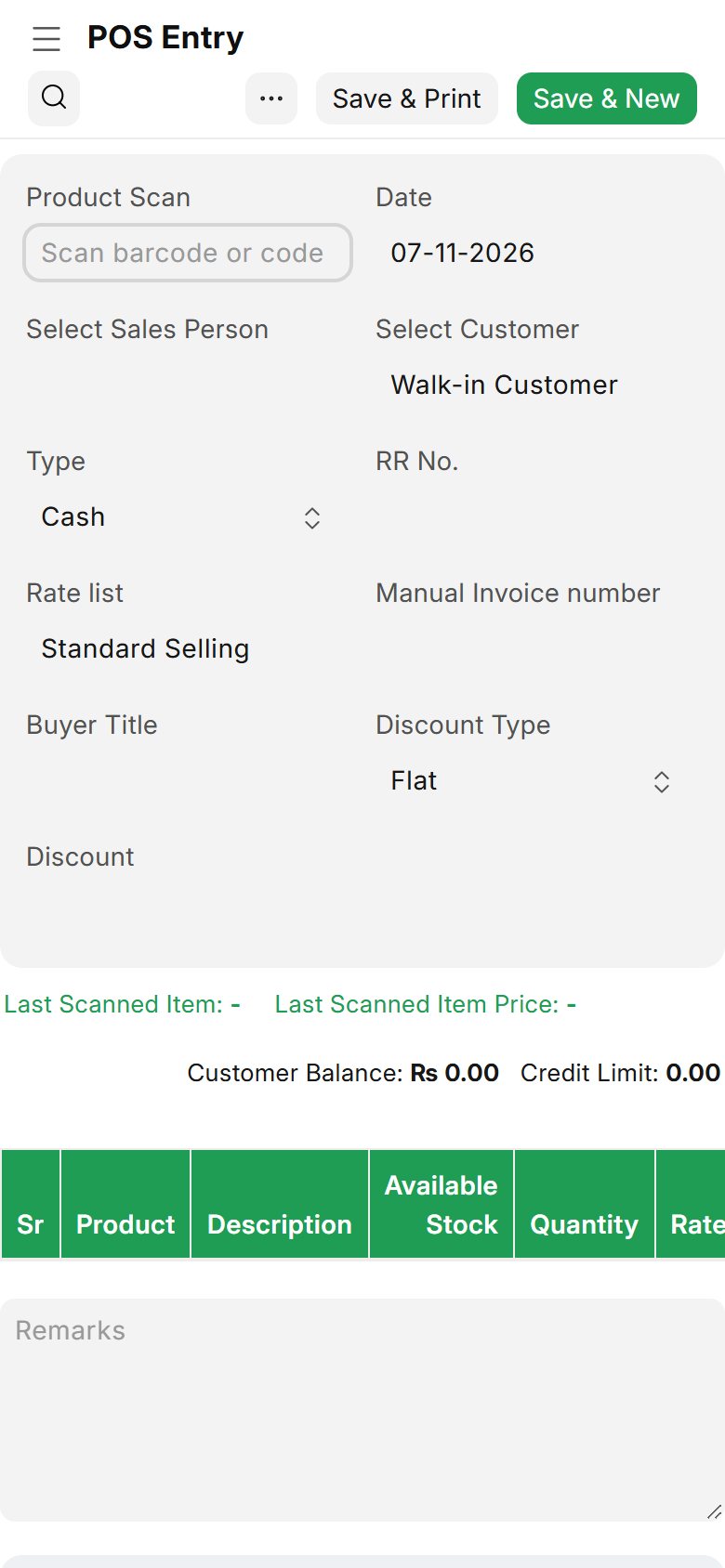
Phone screen of the POS Entry counter with a product scan box, date, sales person, customer, cash type, rate list and discount fields.
The POS counter: scan, total, received, change.
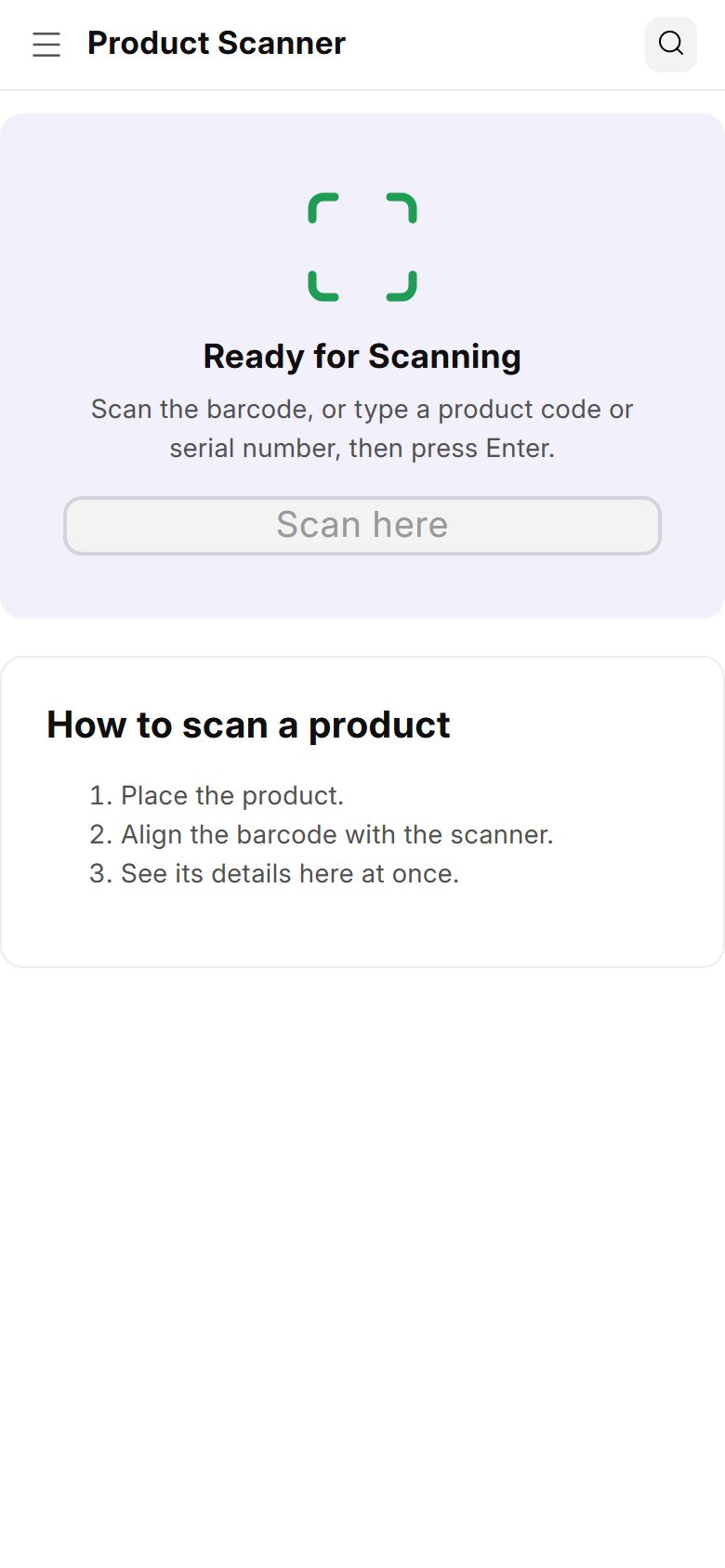
Phone screen of the Product Scanner, ready for scanning, with steps to place the product and align the barcode.
Scan a barcode or serial number to see any product.
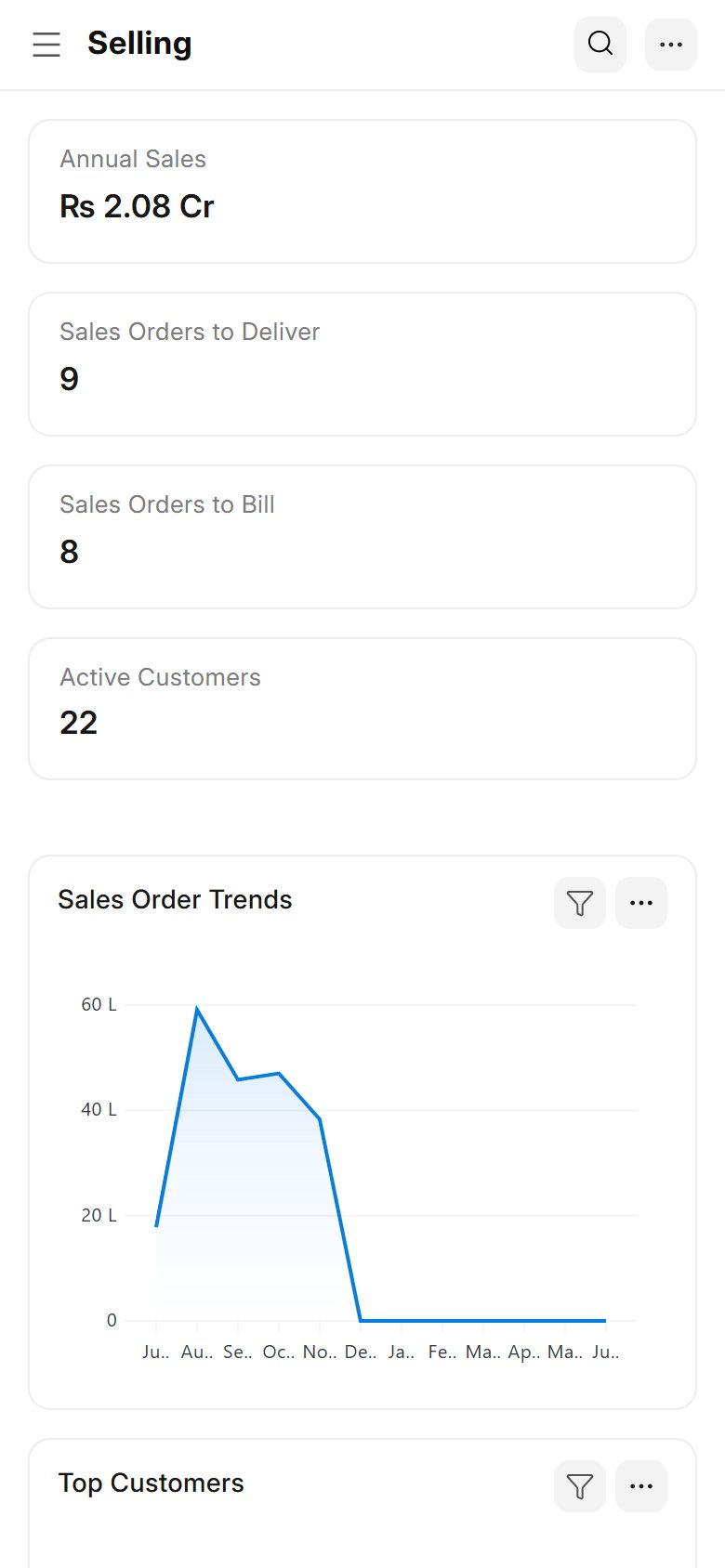
Phone screen of the Selling dashboard with annual sales, sales orders to deliver and to bill, active customers and a sales order trend chart.
Sales, orders to deliver and bill, and the trend on one dashboard.
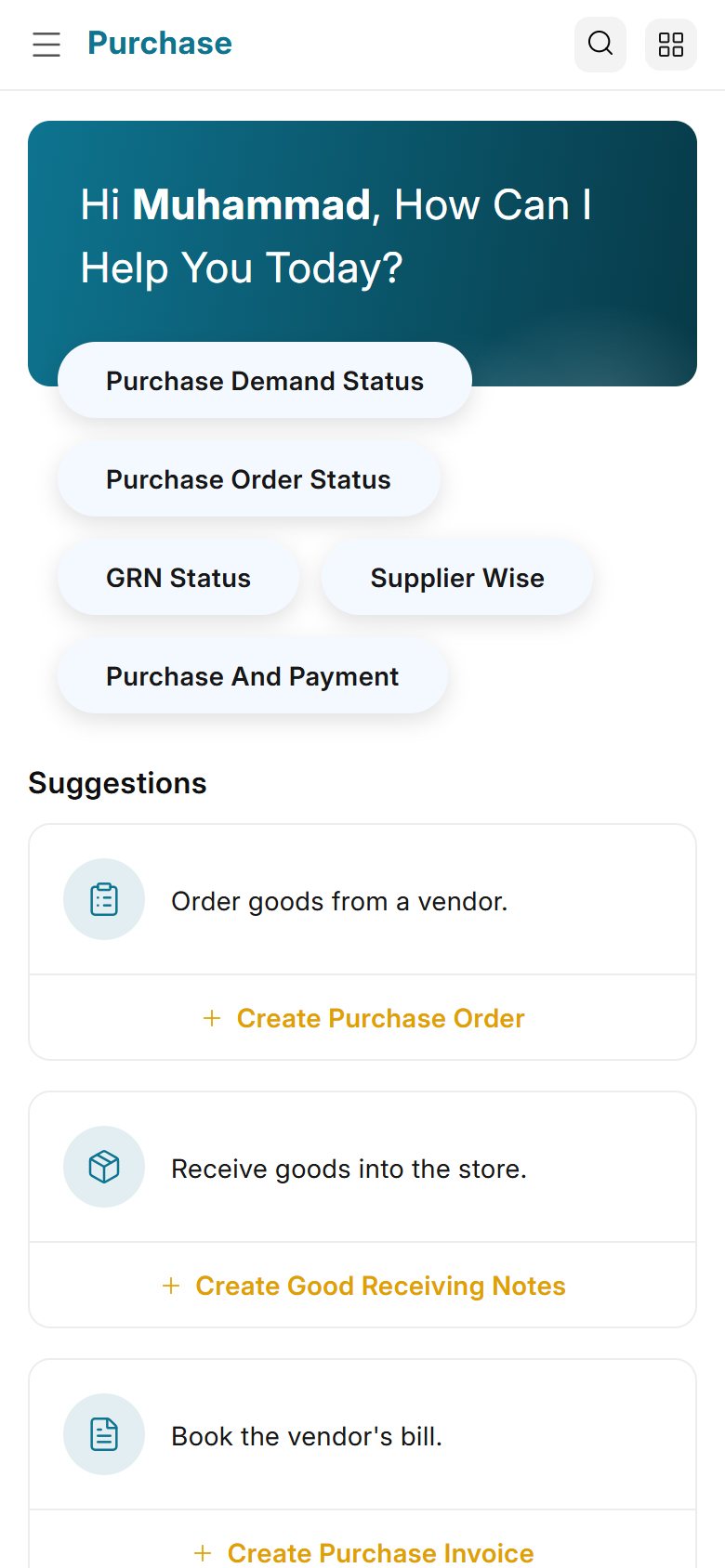
Phone screen of the Purchase home with shortcuts to Purchase Demand Status, Purchase Order Status, GRN Status and Supplier Wise, and suggestions to order goods and receive them into the store.
Purchase: demand, order, GRN and the vendor's bill.
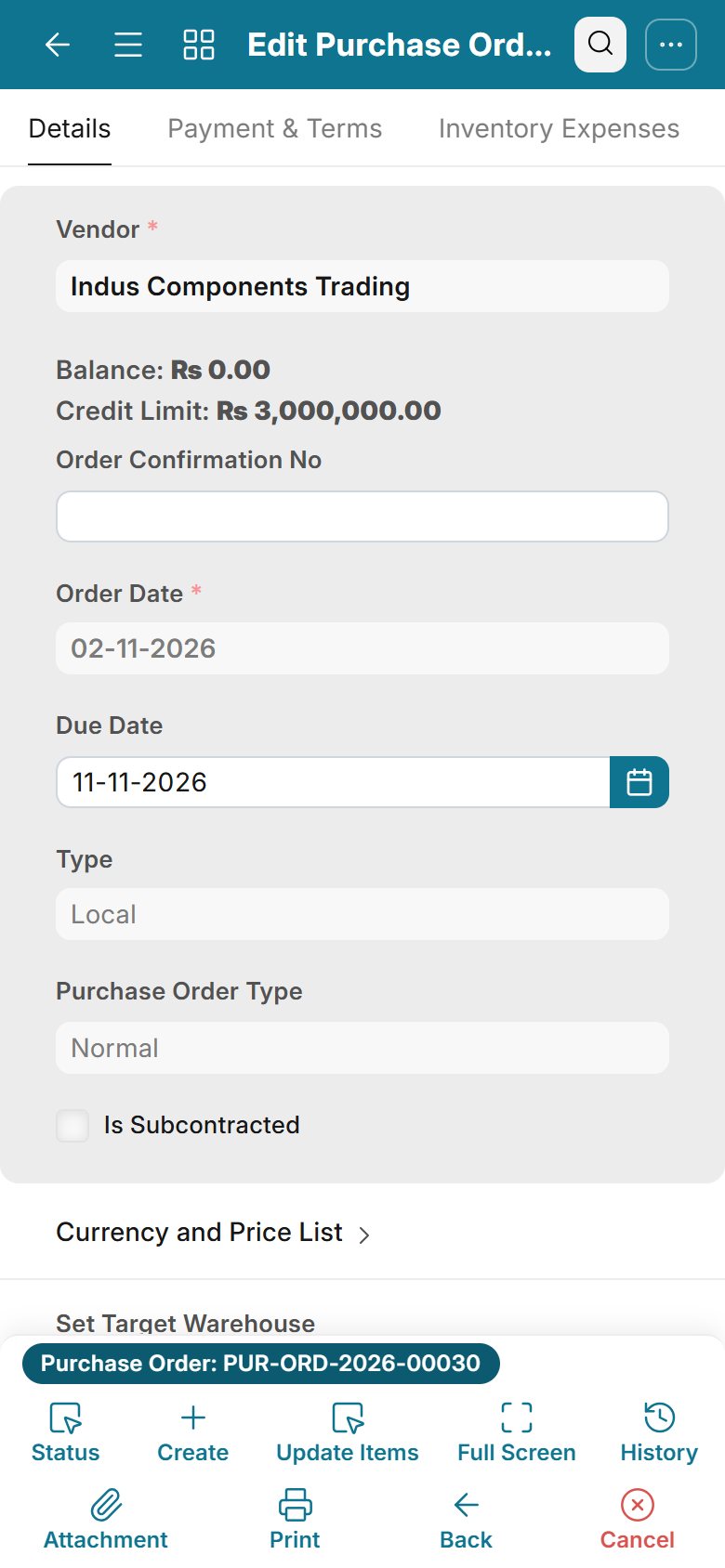
Phone screen of a purchase order showing the vendor, balance and credit limit, order date, due date and purchase order type.
Purchase orders with the vendor's balance and credit limit.
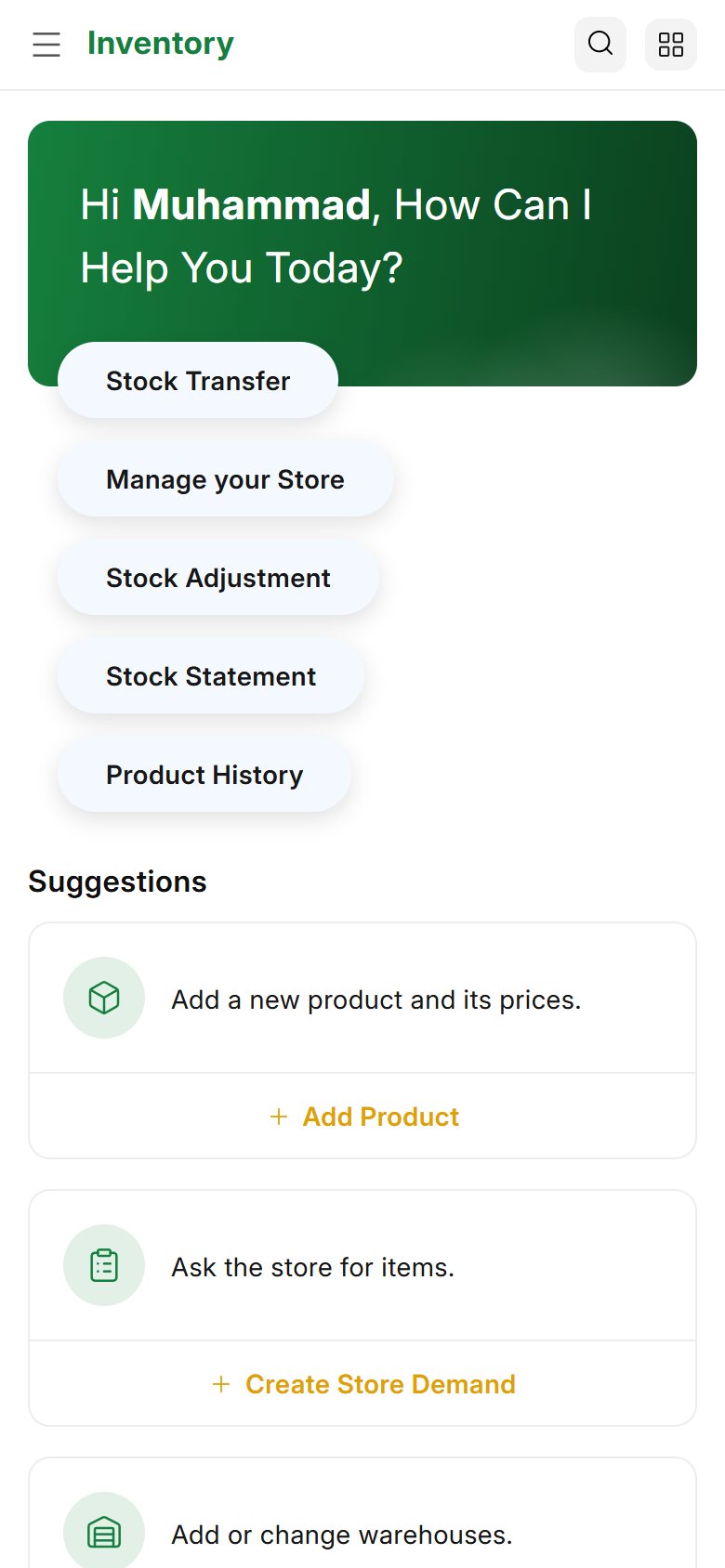
Phone screen of the Inventory home with shortcuts to Stock Transfer, Manage your Store, Stock Adjustment, Stock Statement and Product History.
Stock transfers, adjustments and statements for every store.
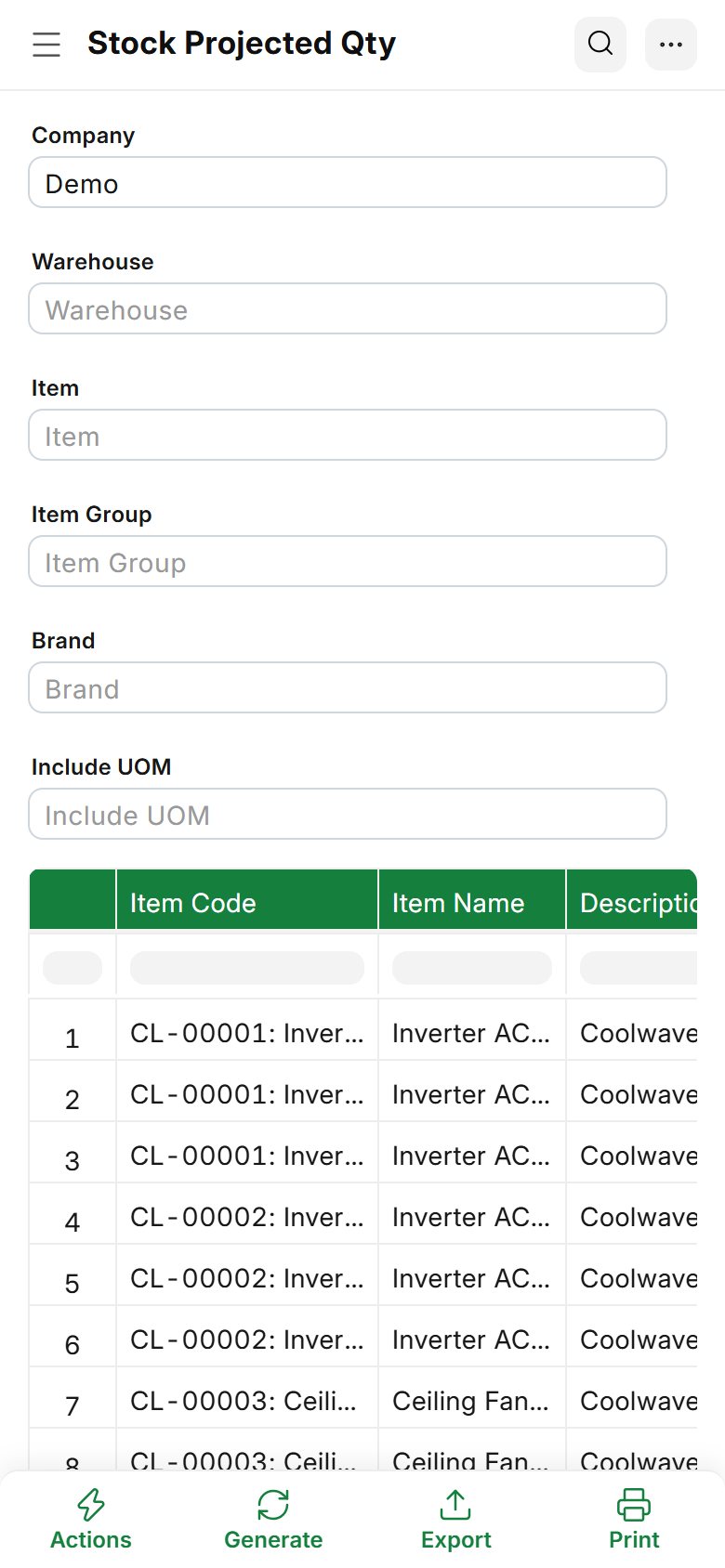
Phone screen of the Stock Projected Qty report with filters for company, warehouse, item and brand, and a table of items.
Projected stock: in hand, on order and already promised.
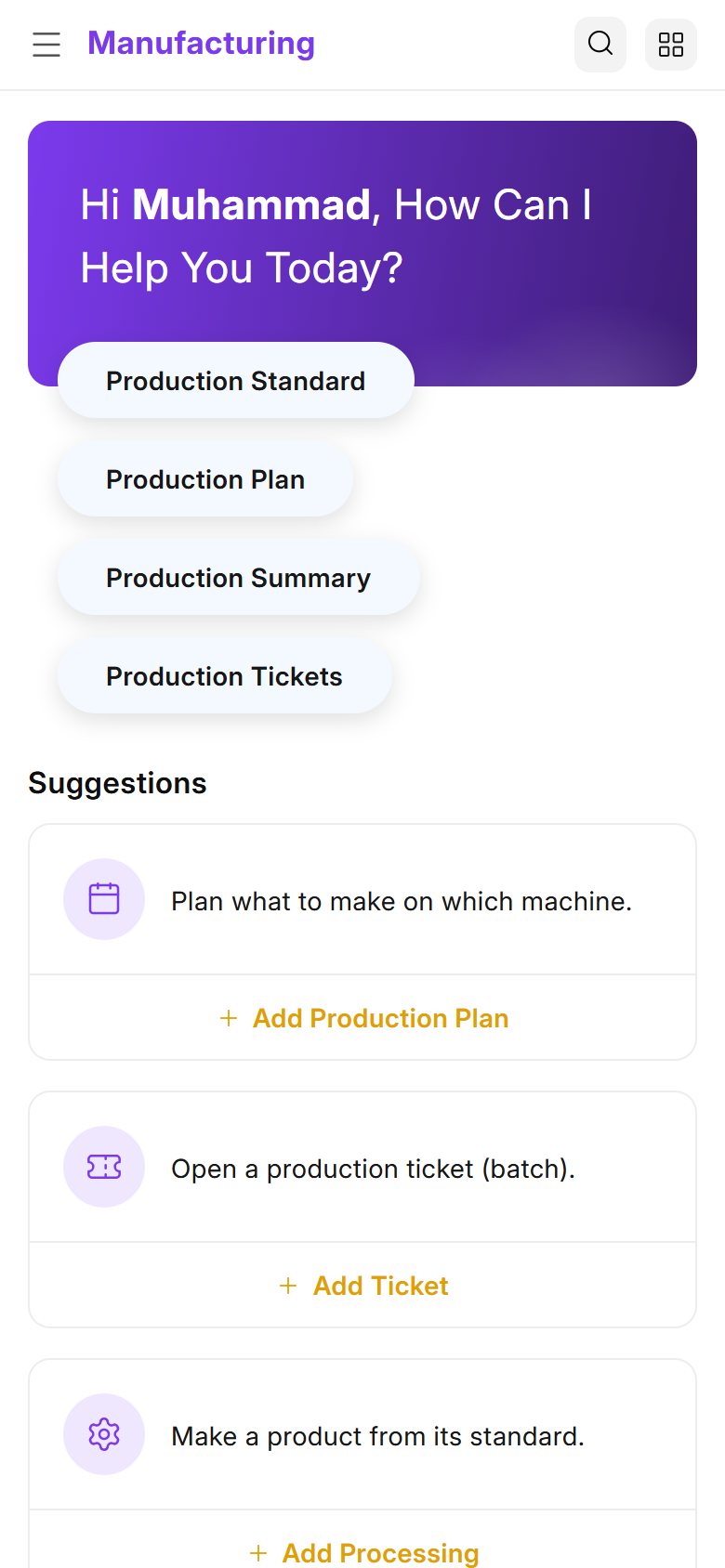
Phone screen of the Manufacturing home with shortcuts to Production Standard, Production Plan, Production Summary and Production Tickets, and suggestions to plan production and open a batch ticket.
Production standards, plans and batch tickets.
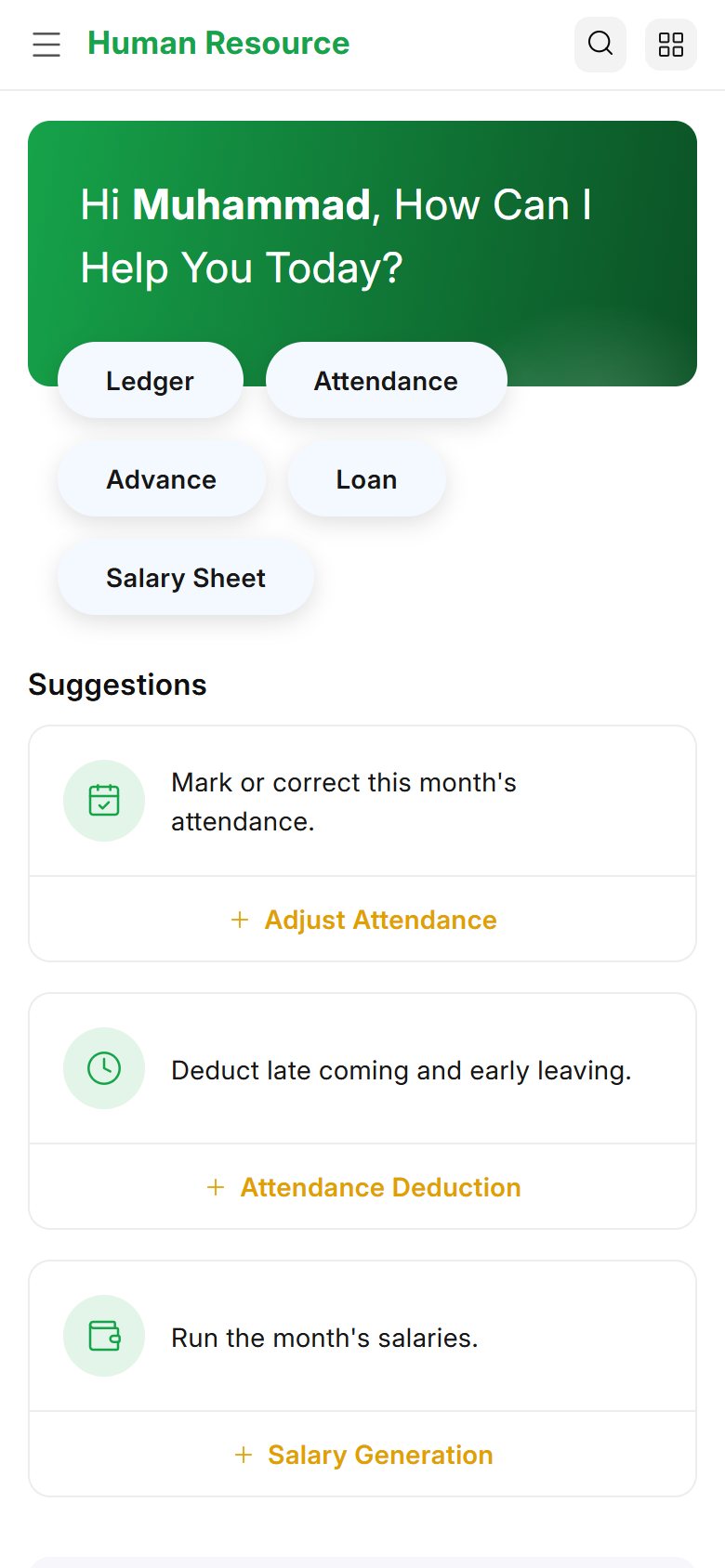
Phone screen of the Human Resource home with shortcuts to Ledger, Attendance, Advance, Loan and Salary Sheet, and suggestions to correct attendance, deduct late coming and run salaries.
HR and payroll: attendance, advances, loans and the salary sheet.
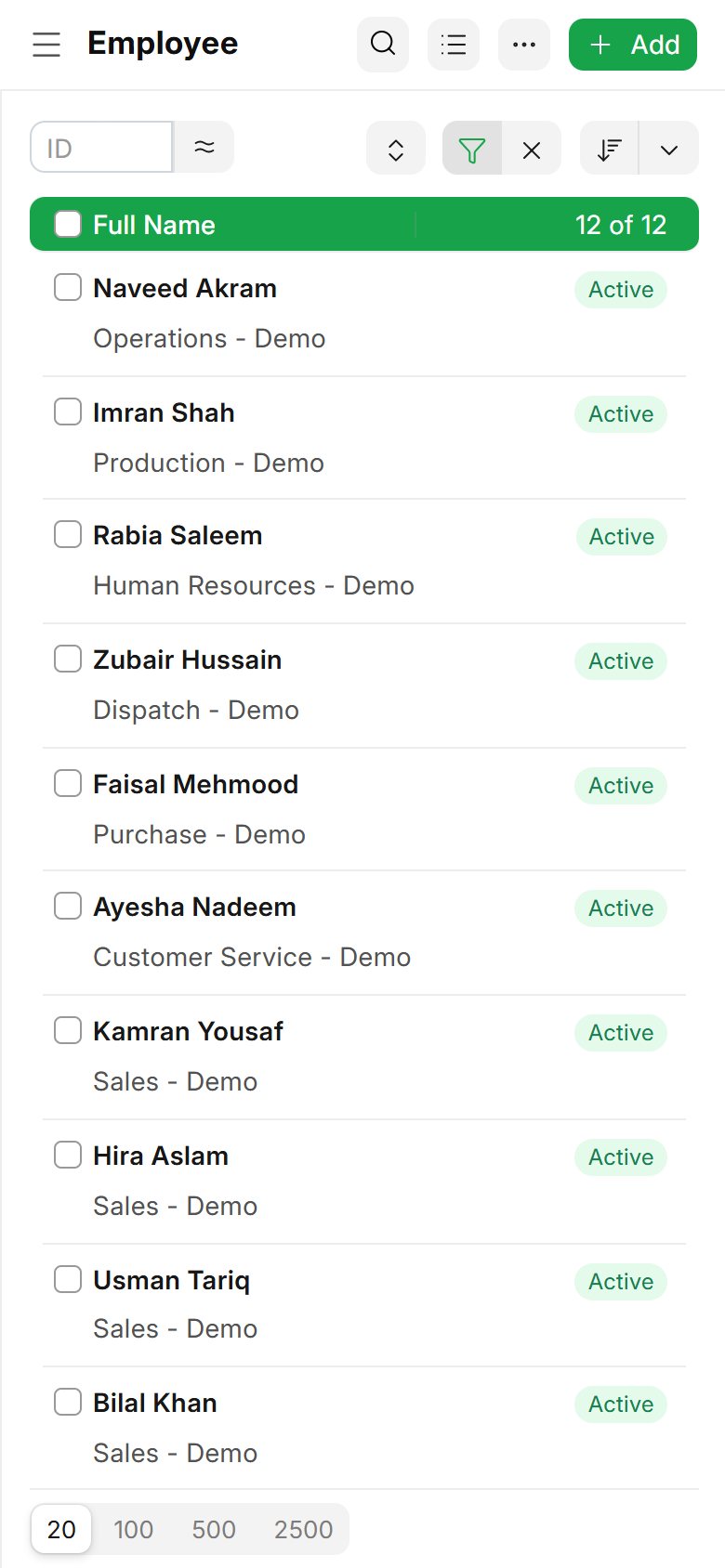
Phone screen of the Employee list with names, departments and Active status.
Every employee on record, by department and status.
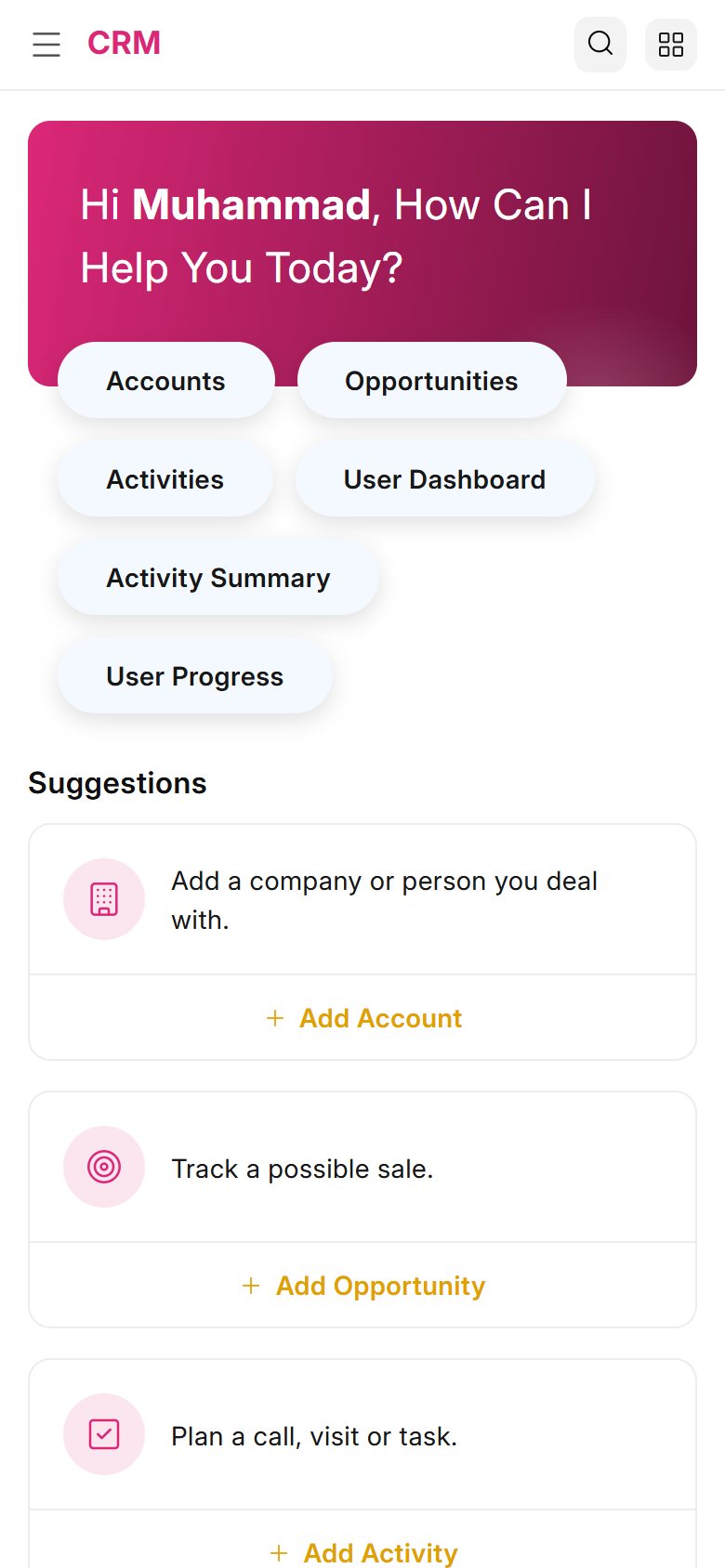
Phone screen of the CRM home with shortcuts to Accounts, Opportunities, Activities, Activity Summary and User Progress, and suggestions to add an account, an opportunity or an activity.
CRM: accounts, opportunities and activities.
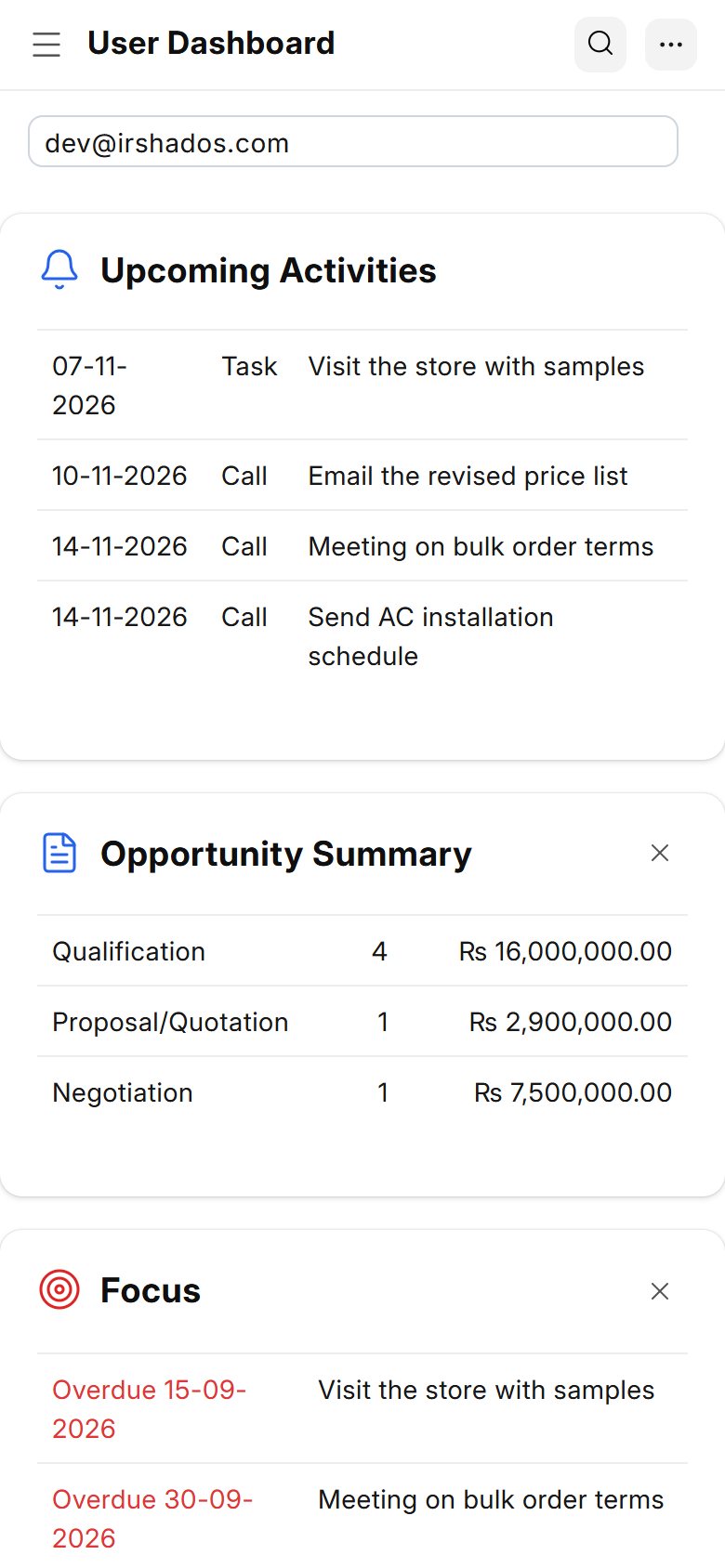
Phone screen of the CRM user dashboard with upcoming tasks and calls, an opportunity summary by stage with values, and overdue follow-ups.
Upcoming calls and tasks, and opportunities by stage.
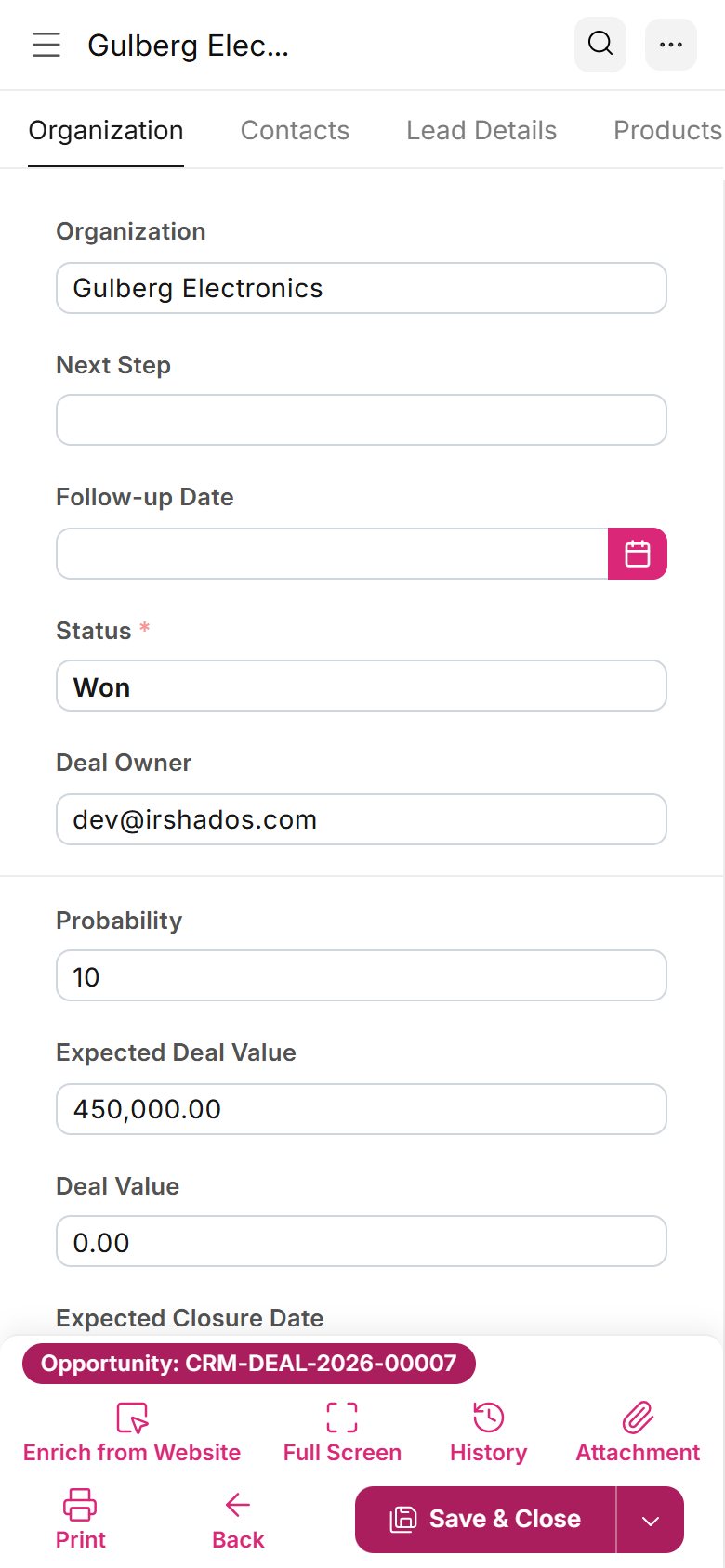
Phone screen of a CRM opportunity for Gulberg Electronics marked Won, with next step, follow-up date, deal owner, probability and expected deal value.
A won opportunity becomes a customer in the accounts.
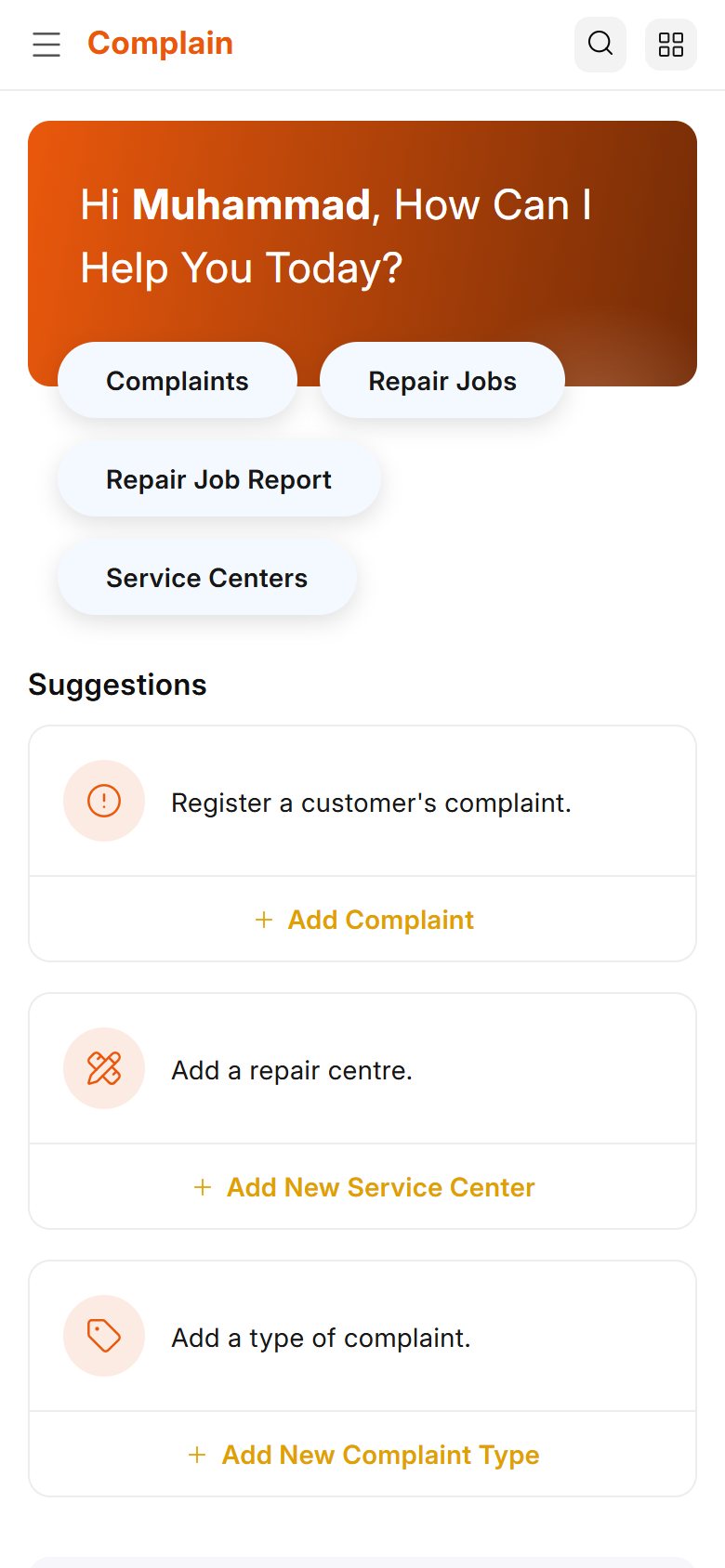
Phone screen of the Complain home with shortcuts to Complaints, Repair Jobs, Repair Job Report and Service Centers.
Complaints and repair jobs, linked both ways.
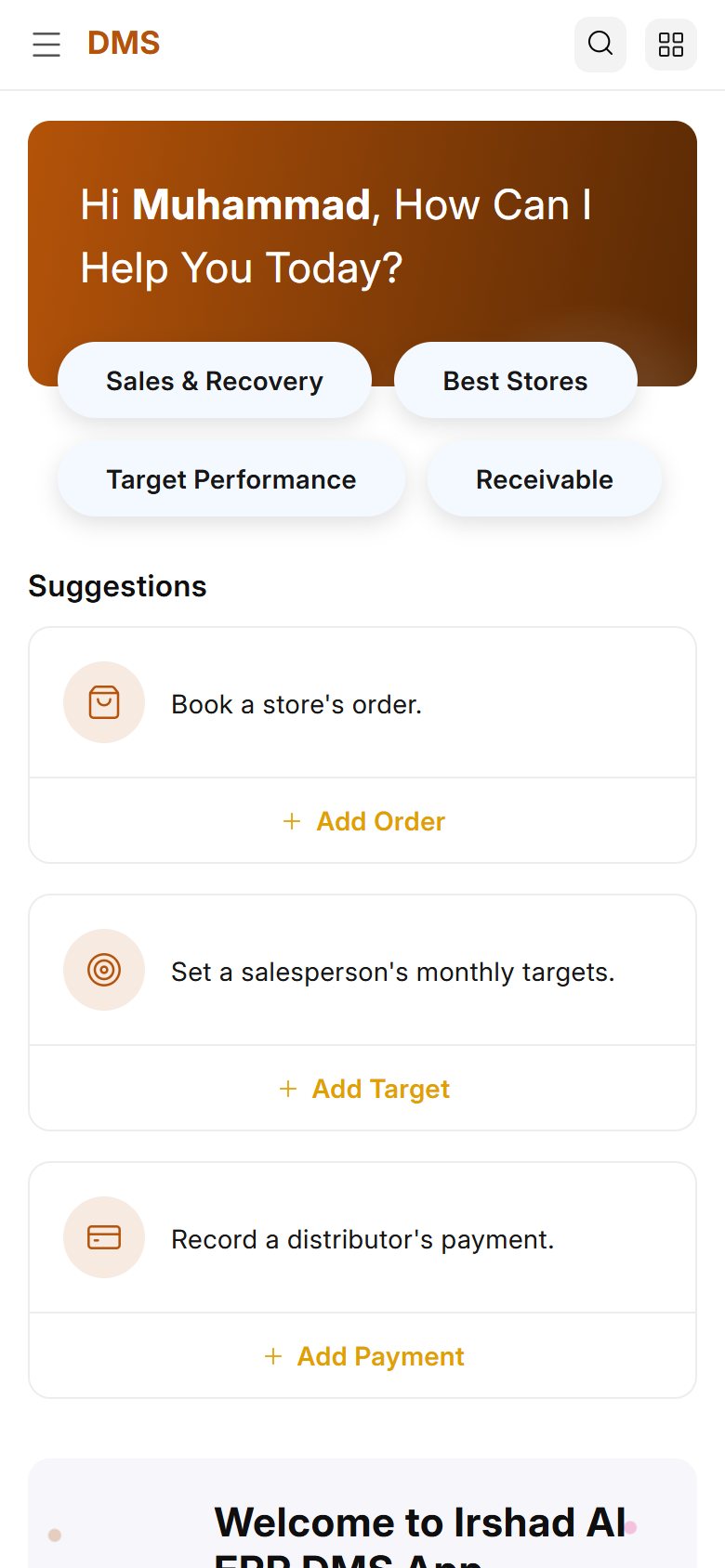
Phone screen of the distribution home with shortcuts to Sales and Recovery, Best Stores, Target Performance and Receivable, and suggestions to book a store's order, set targets and record a distributor's payment.
Distribution: order booking, targets and recovery from stores.
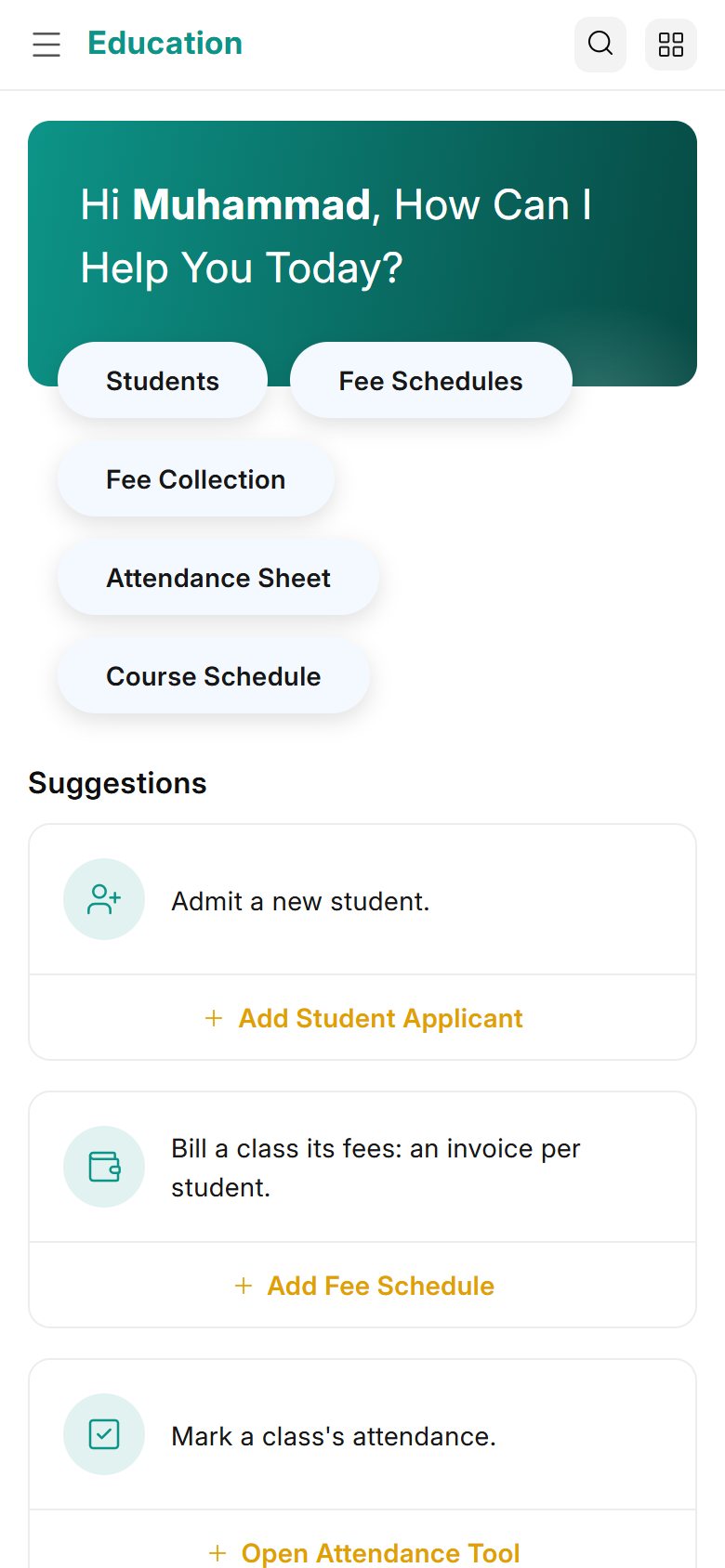
Phone screen of the Education home with shortcuts to Students, Fee Schedules, Fee Collection, Attendance Sheet and Course Schedule.
Schools: admissions, attendance, fees and courses.
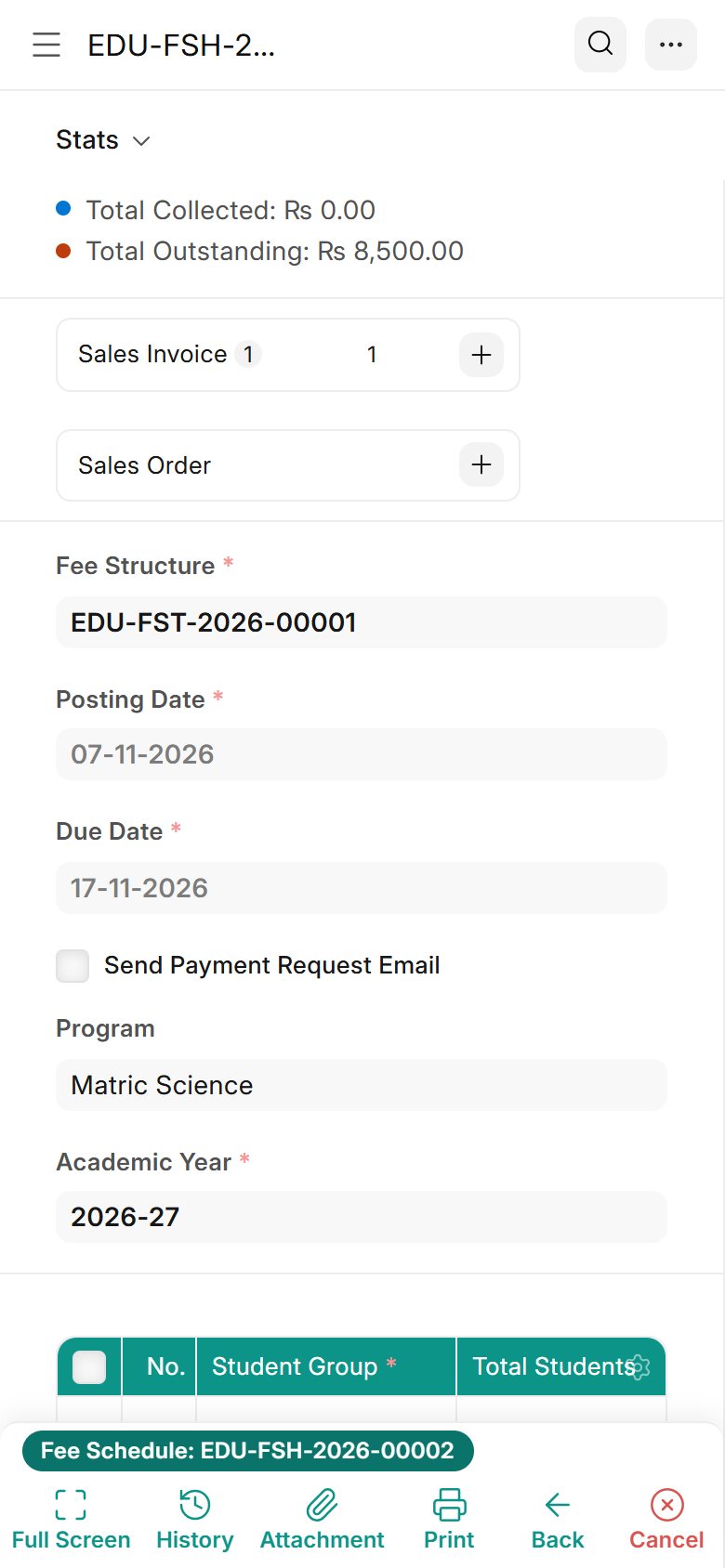
Phone screen of a fee schedule for the Matric Science program, 2026-27, with total collected and total outstanding, the fee structure and due date.
Bill a whole class its fees in one step.
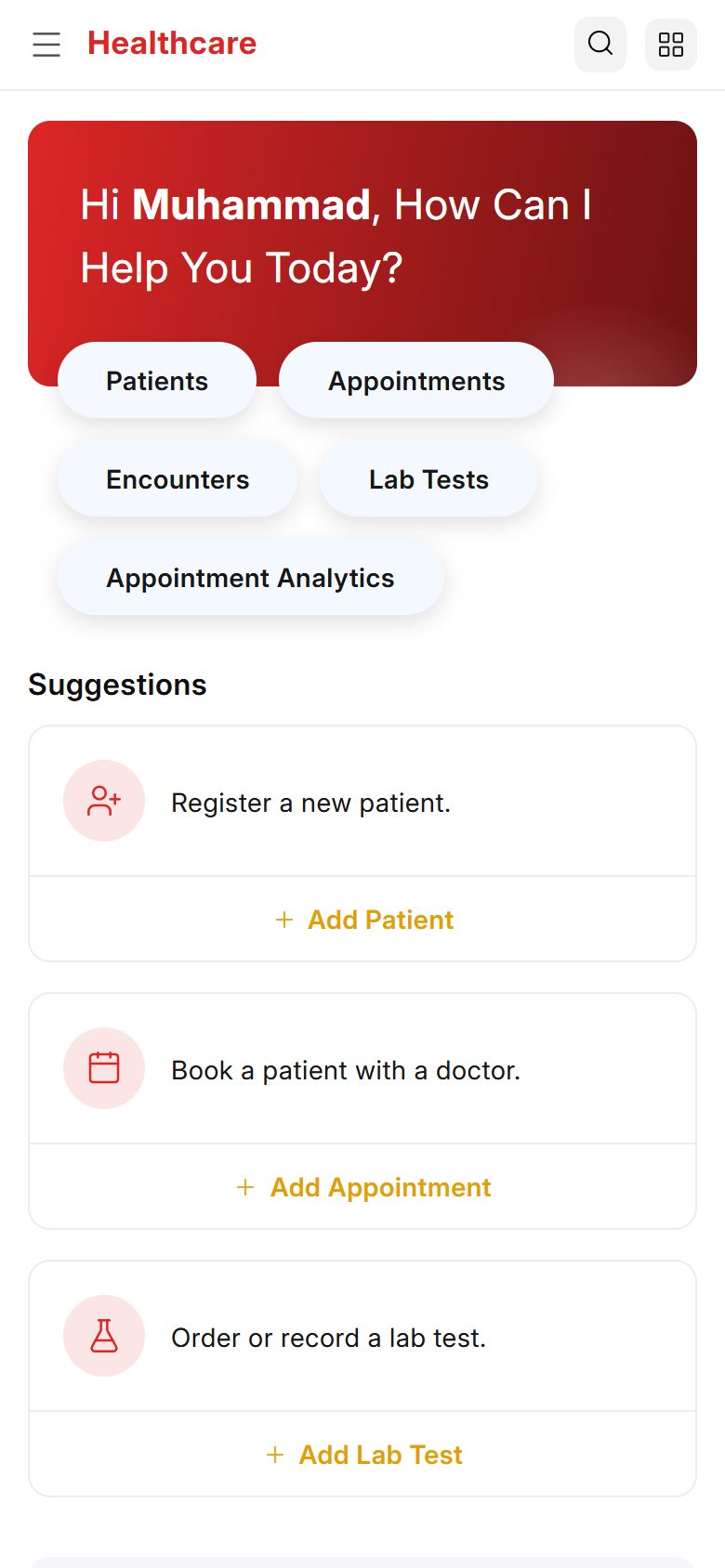
Phone screen of the Healthcare home with shortcuts to Patients, Appointments, Encounters, Lab Tests and Appointment Analytics.
Clinics: patients, appointments and lab tests.
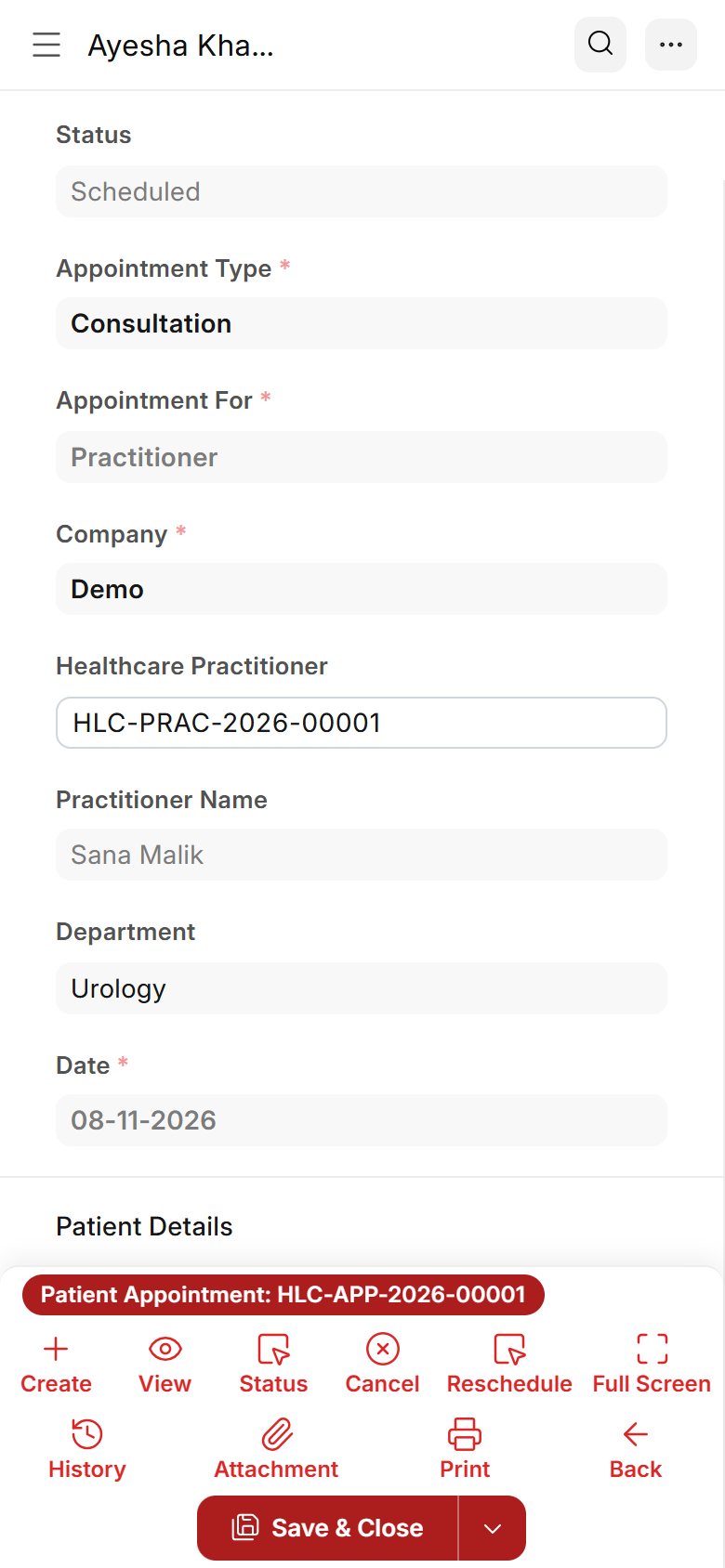
Phone screen of a patient appointment showing its status, appointment type Consultation, the practitioner, department and date.
Book a patient with a doctor; the visit is billed to the accounts.
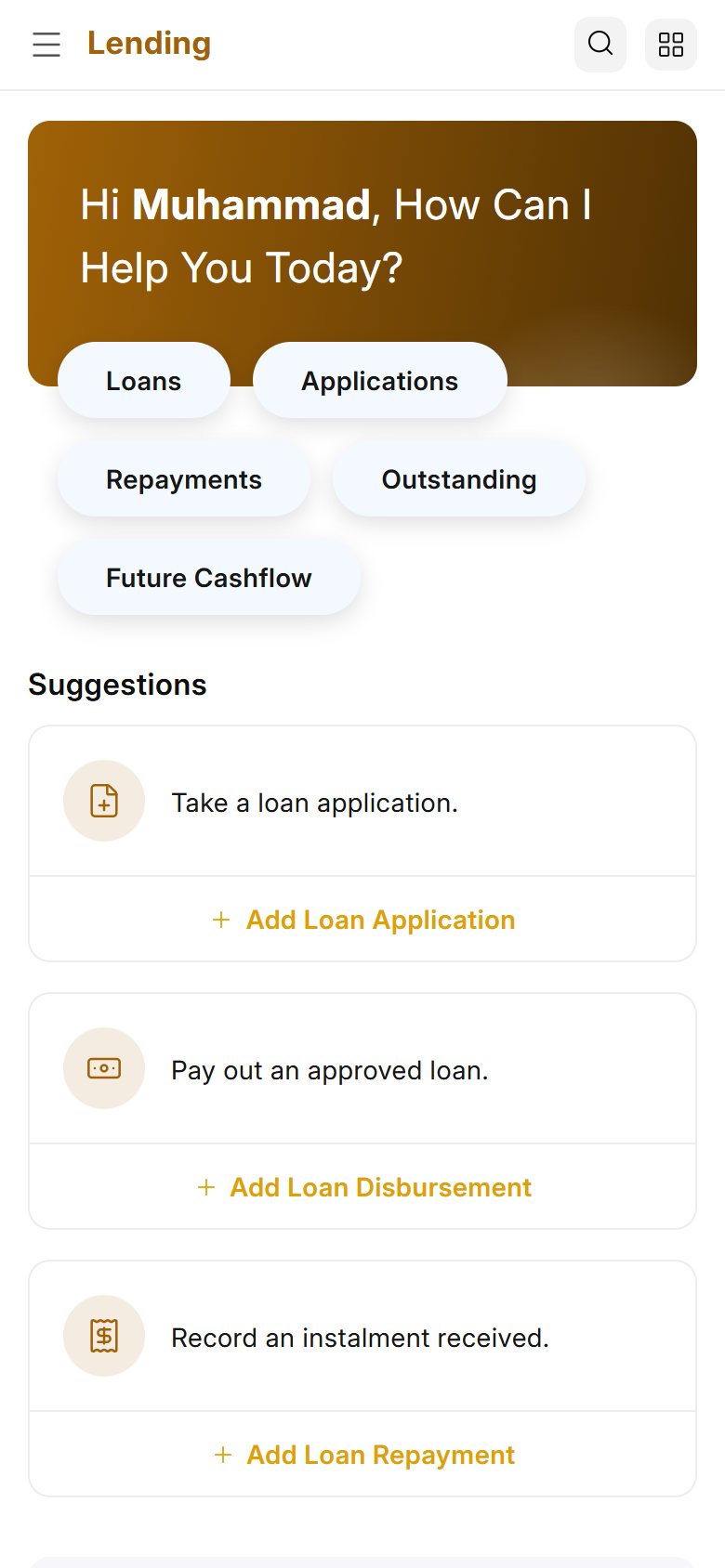
Phone screen of the Lending home with shortcuts to Loans, Applications, Repayments, Outstanding and Future Cashflow.
Lending: applications, payouts, instalments and outstanding.
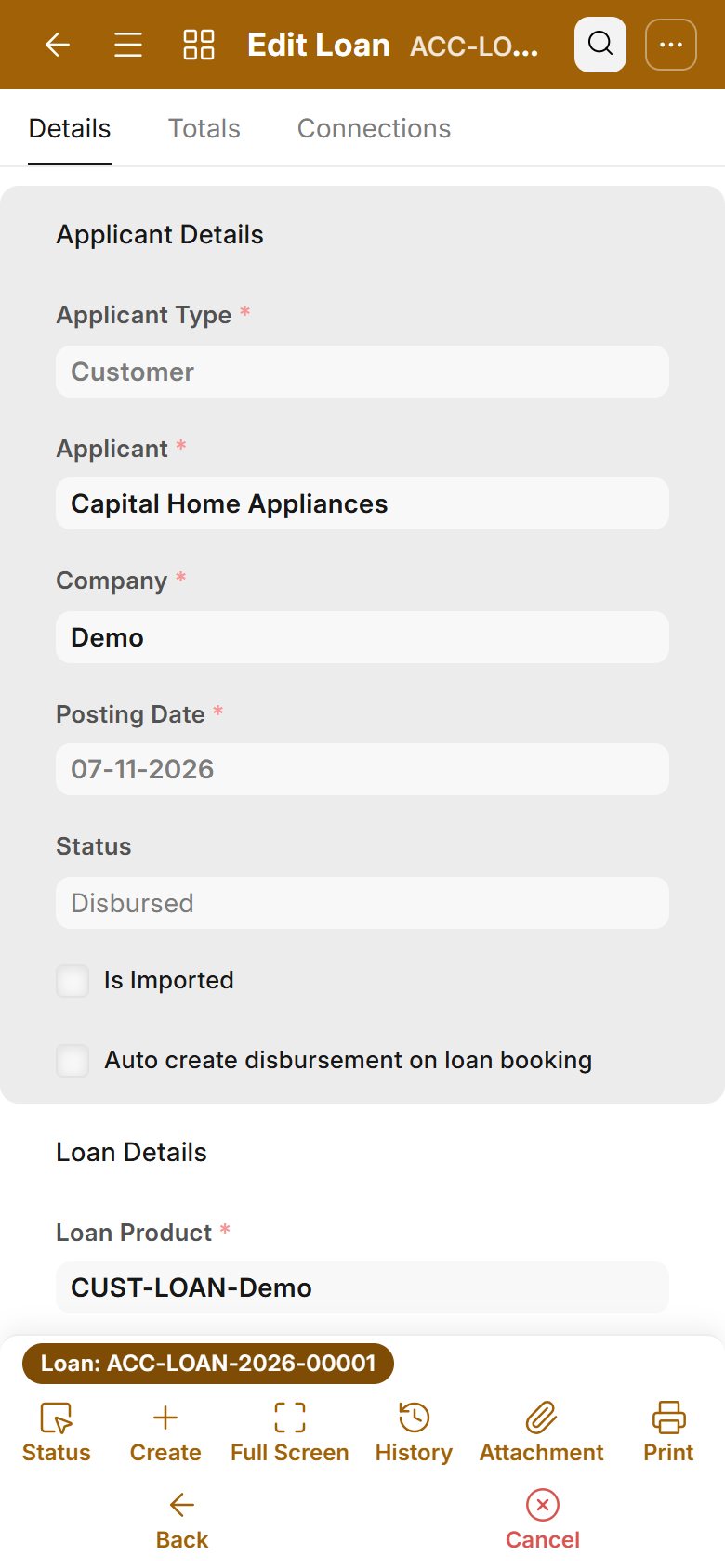
Phone screen of a disbursed loan to a customer, with applicant, posting date, status and loan product.
Each loan posts its payout and repayments to the ledger.
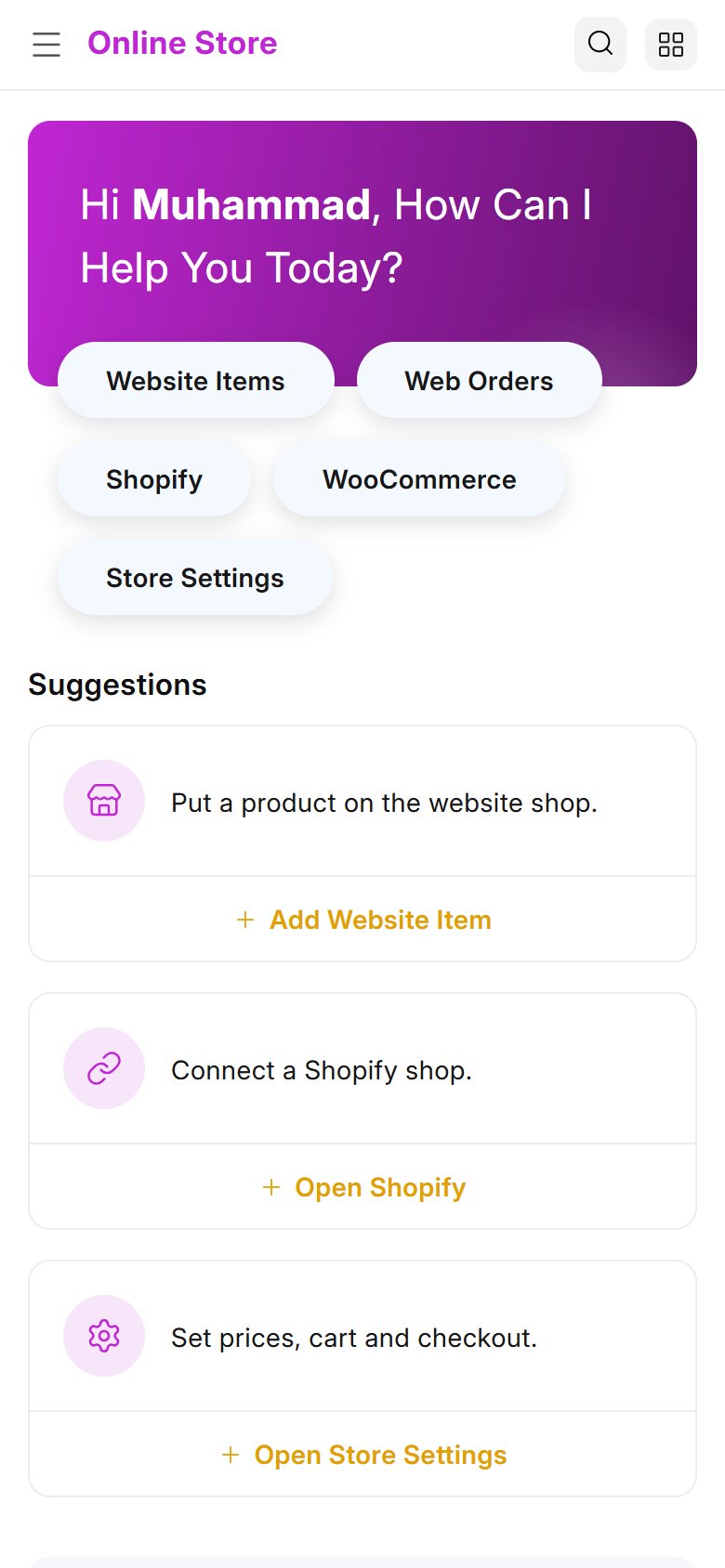
Phone screen of the Online Store home with shortcuts to Website Items, Web Orders, Shopify, WooCommerce and Store Settings.
Online Store: your products on your own web shop.
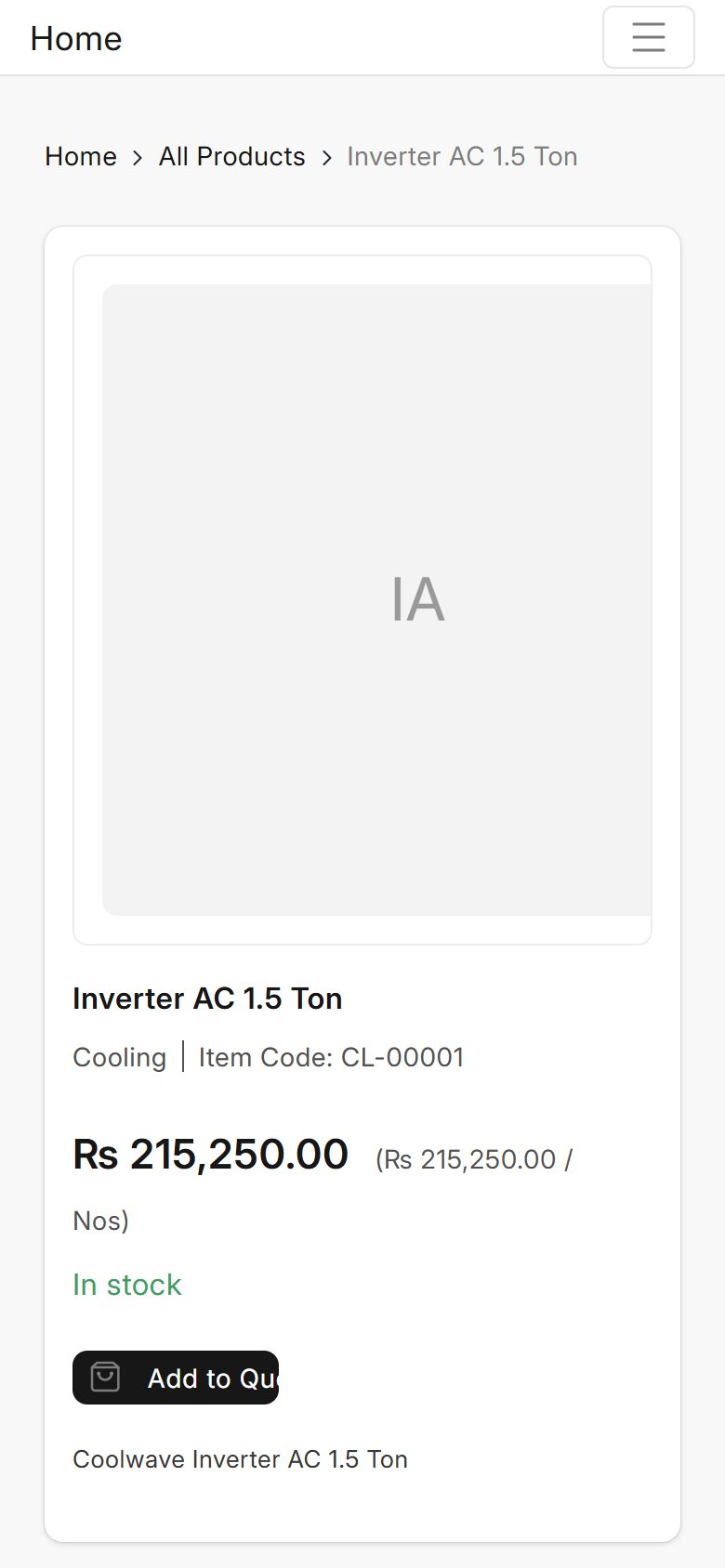
Phone screen of a product page on the web shop: Inverter AC 1.5 Ton with its price and In stock.
The shop shows the ERP's price and the stock in your store.
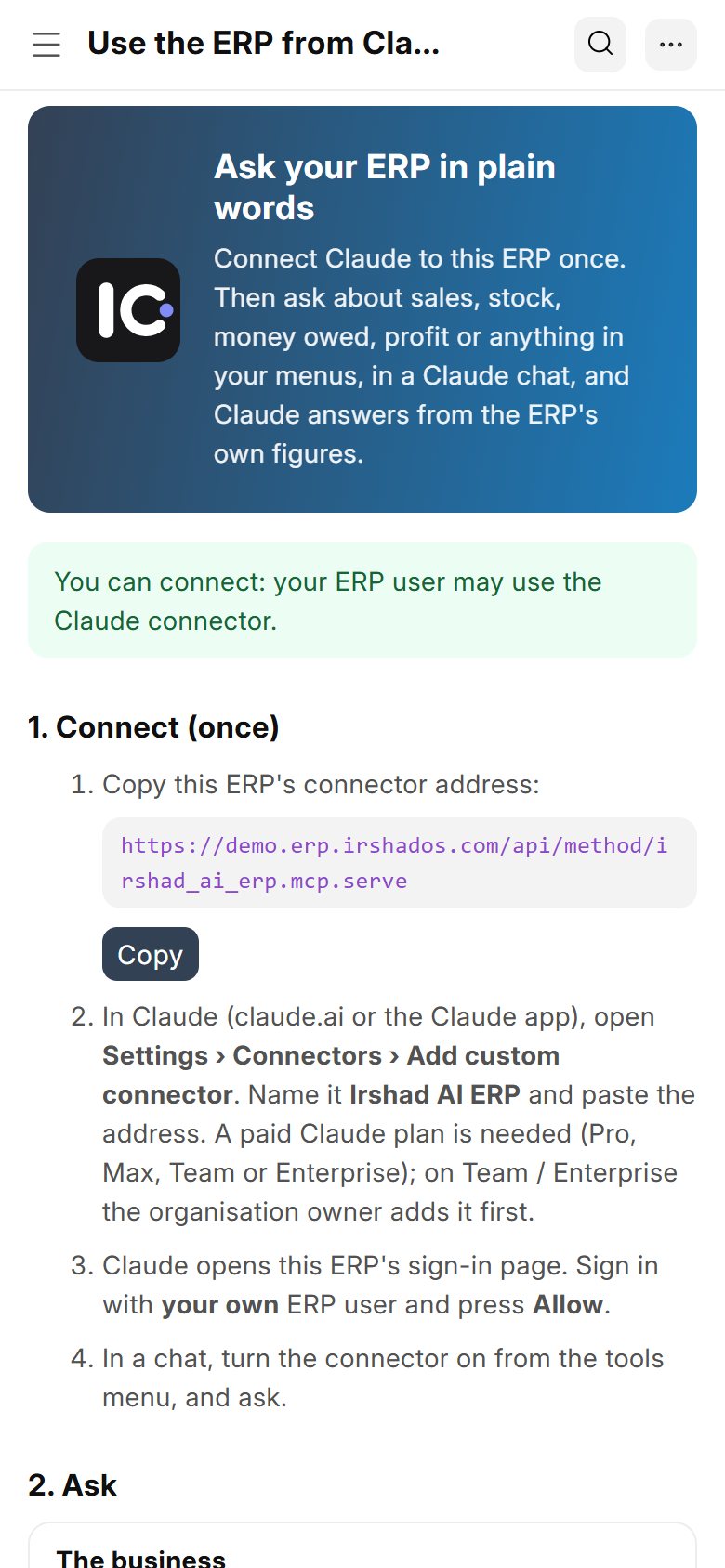
Phone screen of the guide 'Ask your ERP in plain words' with example questions about sales, stock and money owed.
Ask your ERP in plain words from Claude or another AI assistant.

Want something like this built?

This product is not a case study written after the fact — it is running, and the same hands built it. If you need AI that answers from your own documents and cites what it used, that is the AI integration and RAG service. For the application around it, see web application development, or take over something that already exists.

Send a project brief →
AI Q&A